 SitSignal
First, the one thing to know
Everything money-related happens at one moment each week — Wednesday at noon, in your SITTER's local time, not yours:
- Next week's visits are added, and your saved card is charged for them.
- Your sitter is paid for the week that ended the previous Sunday, once every visit in it has been closed out.
The first week is the exception. Your sitter accepting doesn't charge it — it goes to payment like any other booking, and you have 72 hours to pay. Miss that and the whole repeating arrangement is cancelled before it ever starts.
Clients: how to book a recurring visit
Open Search and pick Dog Walking or Drop-In, then set your location and start date as usual. Recurring isn't available for boarding or house sitting.
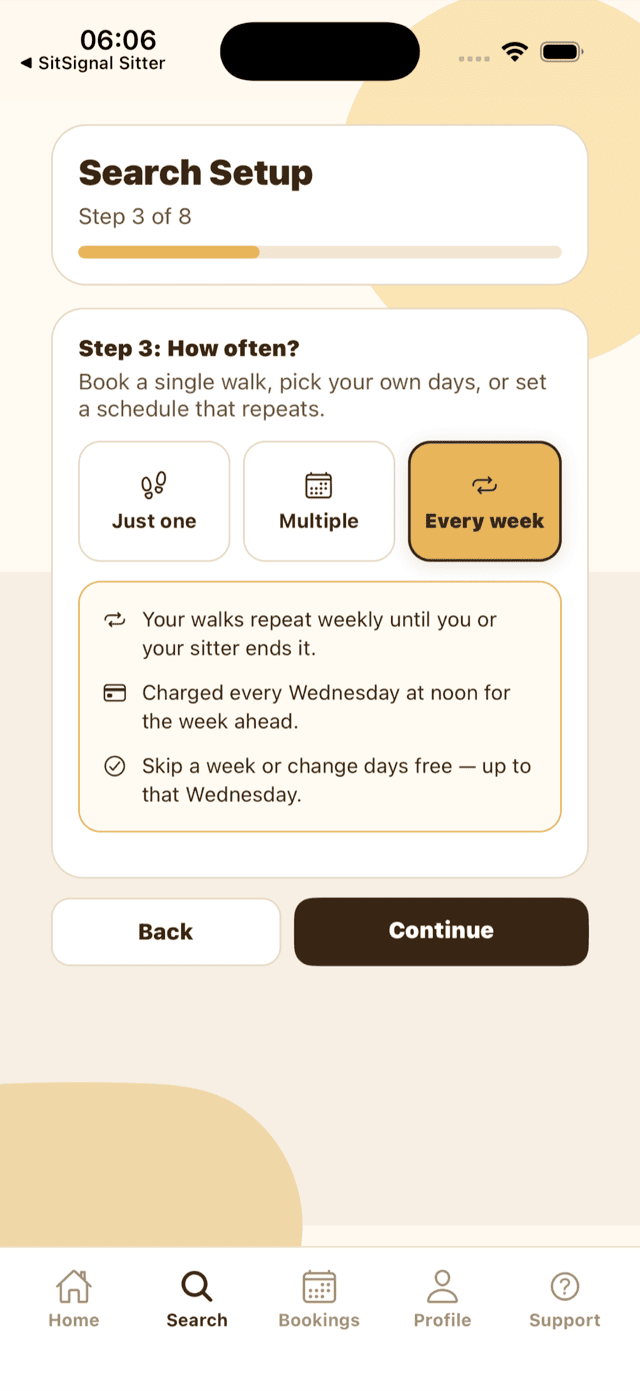
At Step 3, choose Every week. The panel underneath spells out what you're signing up for before you go any further.
At Step 6 you build a single week. Tap a weekday to add it, then set the start time and how long the visit runs. That one week is the template your sitter repeats — you're not picking dates for every week ahead.
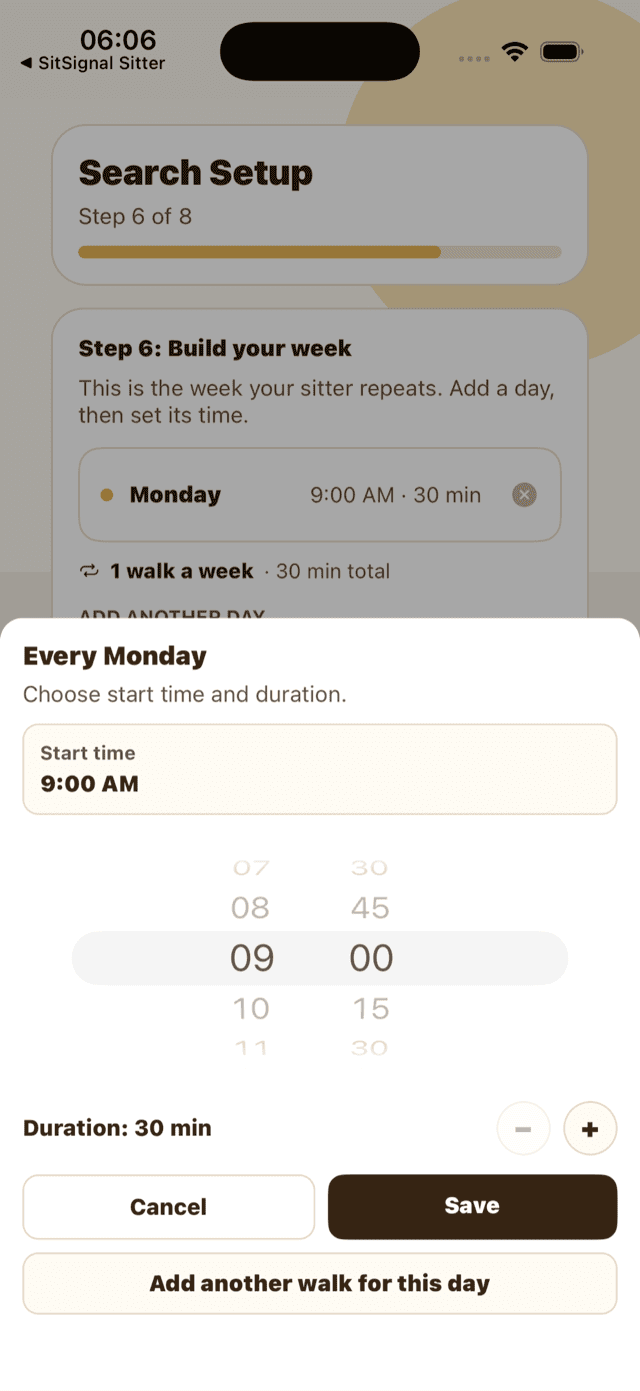
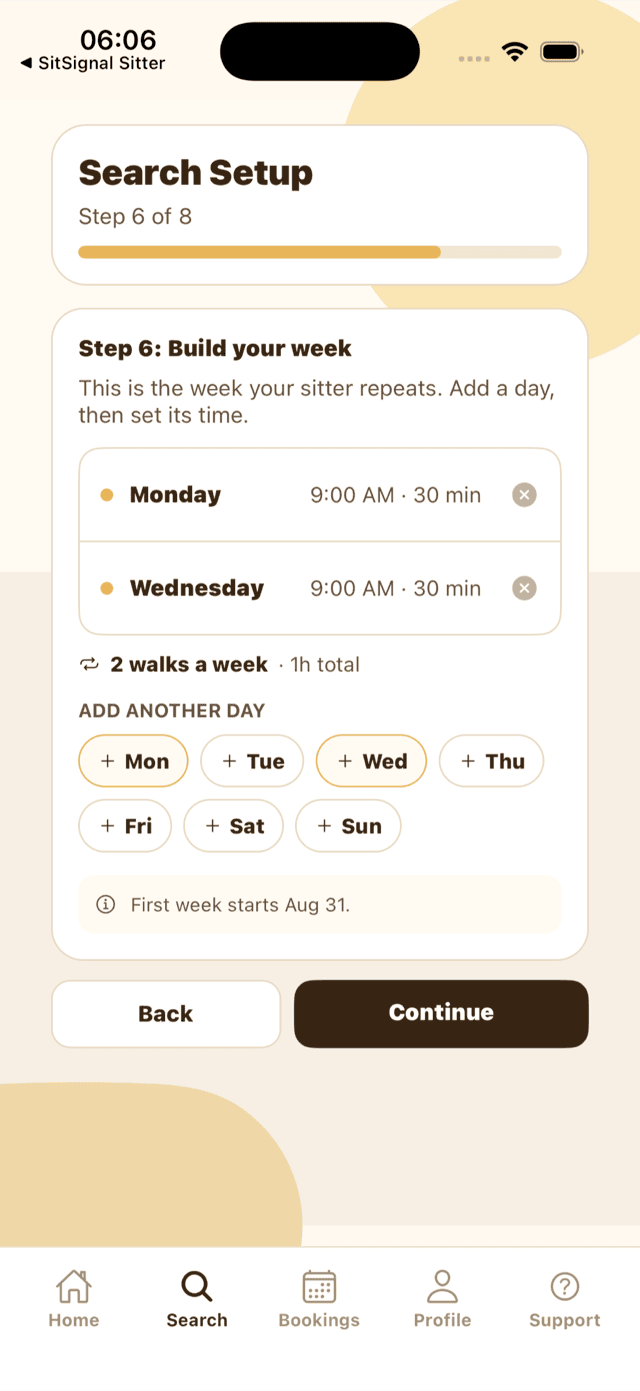
- Add more than one visit to the same day if you need it — up to four drop-ins a day.
- Visits start at 30 minutes and change in 15-minute steps. A week can hold up to 14 visits, and two visits on the same weekday can't overlap.
- Your sitter may have a separate, often lower recurring rate — the weekly price you see already uses it.
- Extra pets are charged per 30 minutes of every visit, so a second dog raises the price of every walk, not the week once.
Finish the wizard and send the request. Your sitter accepts once, and that's the whole arrangement agreed.
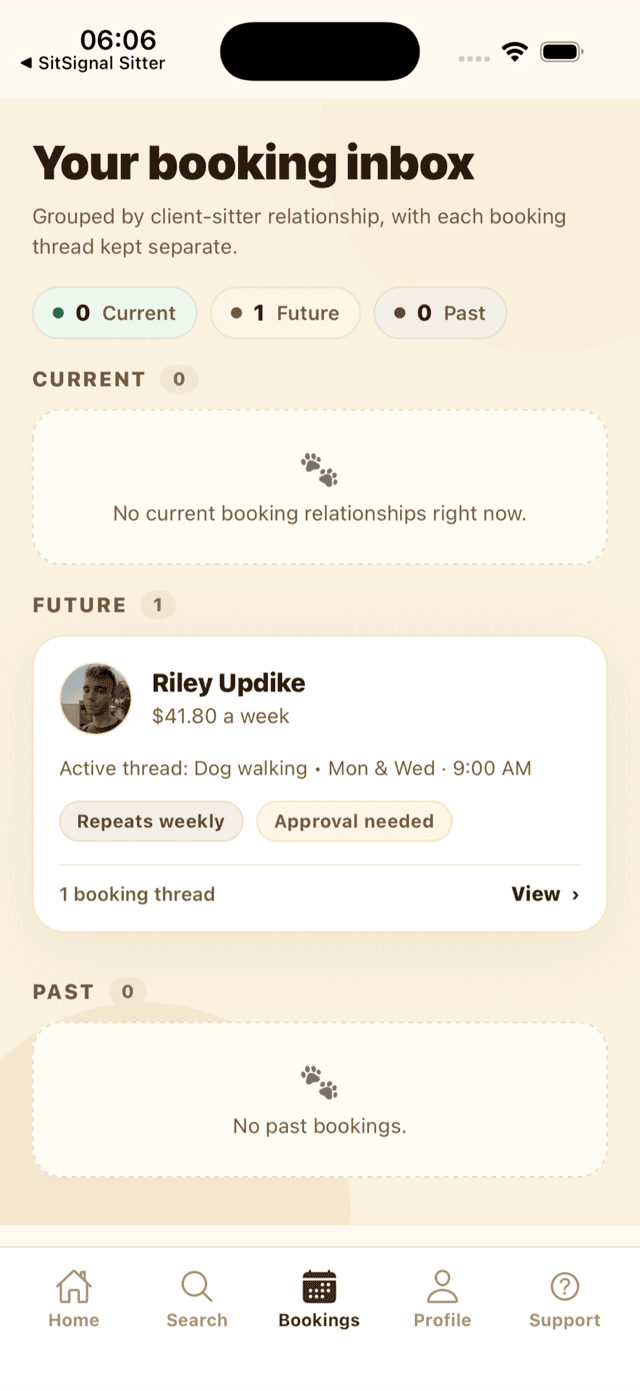
Your sitter accepting is what puts the first week up for payment, not what charges it. You have 72 hours, with reminders at 48, 24, 6 and 1 hour to go. Miss the deadline and the booking is cancelled and the whole repeating arrangement ends before it starts — you'd need to send a fresh request.
The additional-pet fee is charged per 30 minutes of every visit, so a second pet raises the price of every walk in every week — not the week once. Animals other than dogs and cats add their own per-visit charge on top. There's no way to change which pets are on a running arrangement: you'd end it and book again with the pets you want.
No. A sitter's holiday rate only replaces their nightly rate on boarding and house sitting — walks and drop-ins are priced from the base rate whatever the date, so Christmas week costs what any other week costs. If your sitter isn't working a holiday they'll cancel those visits, and you get their value back.
Clients: how to edit this week or next week
Open the booking. This week and Next week show what is booked now. Plan upcoming weeks opens a month view where you can customize or skip several future weeks in one pass.
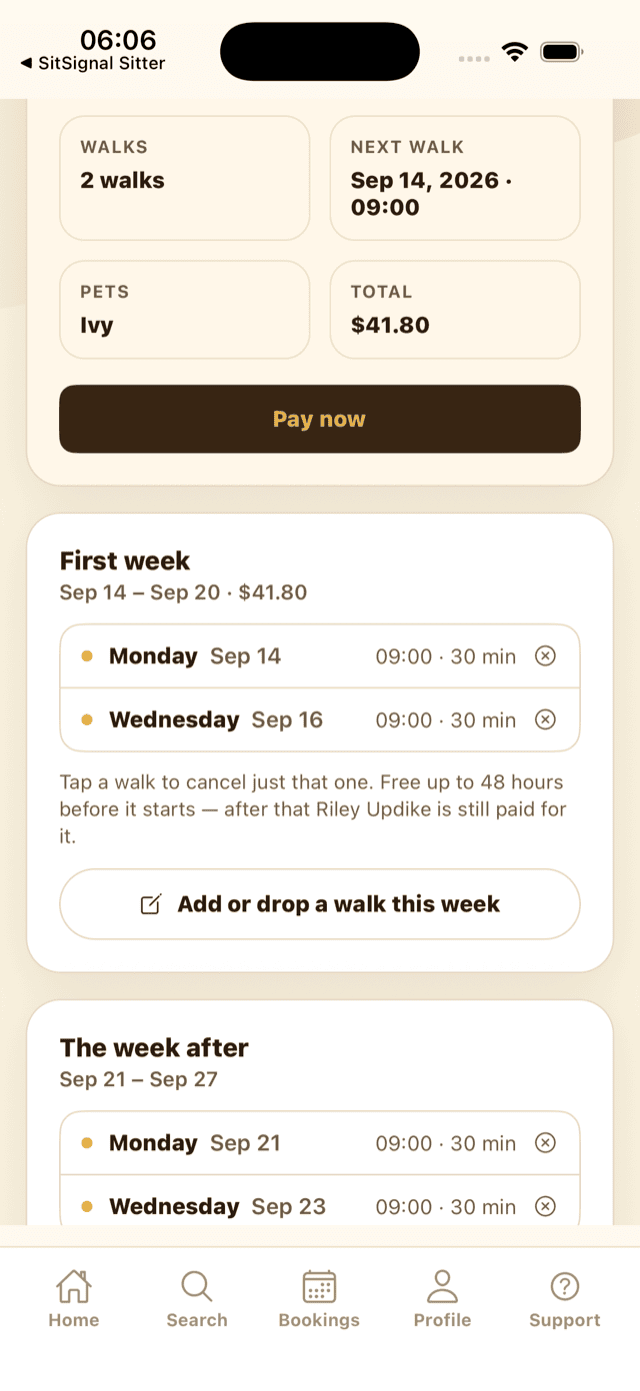
- Drop a visit — tap it on the week card. No approval needed; it's your call.
- Add a day — use Change next week or Add or drop a walk this week. A day outside your usual schedule needs your sitter's yes; until they answer it isn't charged and doesn't hold their time. If they haven't answered by the end of that day, it's dropped and you're not charged.
Tap Add or drop a walk this week to open the week editor. It tells you exactly how long the week stays free to change.
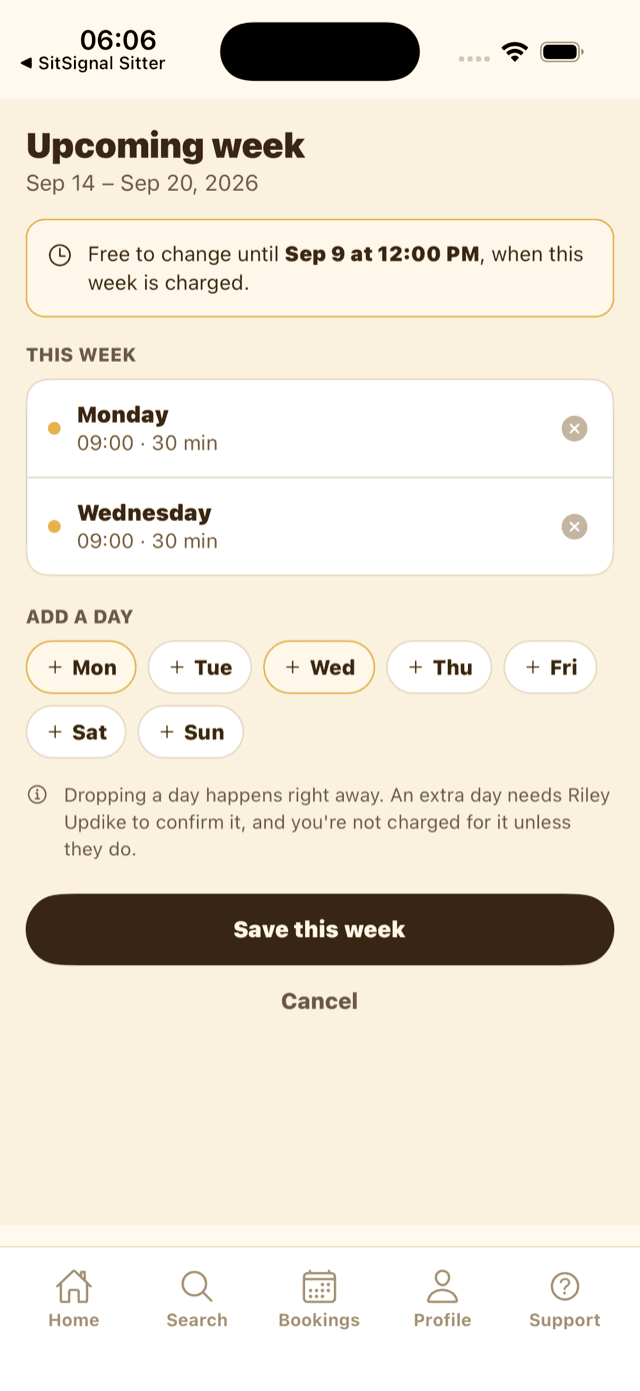
Before that Wednesday, changes cost nothing either way. After the charge you can still change the week through Sunday: the difference is charged to your card, or comes back as SitSignal Credit that starts applying to future weekly charges automatically.
Open Plan upcoming weeks, find the vacation week, and choose Skip week. Before Wednesday at noon the week before, it is removed without a charge and the regular schedule resumes afterward. You can restore it before that deadline. Once a week is booked, cancel its visits under your sitter's cancellation terms instead.
Not as one action. A sitter's only week-level tool is cancelling that week's visits one by one — you get their value back, they're paid for none of them, and the rest of the schedule carries on. The week editor is yours alone; a sitter can't rewrite a week. The only thing they approve or refuse is an extra day you've asked for outside the usual pattern.
Your sitter's, always — the charge, the retries, the deadline, the payout and the day-before reminder are all judged against your sitter's local date and hour, not yours. The week itself always runs Monday to Sunday, so a daylight-saving change never moves a week boundary or a visit time.
Yes, from the next week onward. Each week is priced fresh on the Wednesday it's charged, using your sitter's rates as they stand that morning, and you'll get a notification showing it as a price change plus a note in the booking chat. A rate your sitter set specifically for you still wins over their general recurring rate. The one thing that can't change under you is the cancellation notice window — that's fixed when the arrangement is created.
Cancelling a single visit — and when it costs you
Recurring care has its own cancellation policy, separate from the one covering boarding and house sitting. It's all-or-nothing on a single notice window, because one walk is a small charge and the sitter either got the slot back in time to fill it or didn't.
- Flexible — 24 hours. Cancel a visit at least 24 hours before it starts and it costs you nothing.
- Standard — 48 hours. At least 48 hours' notice and it costs you nothing. Inside the window, it stays charged. This is the default.
Your sitter's window is shown on the booking, and the app tells you which side of it you're on before you confirm — in plain words, including when cancelling means no money back. If the week hasn't been charged yet you're simply not charged; if it has, the value comes back as SitSignal Credit.
If the week has already been charged, yes. The visit stays on the week marked non-refundable and your sitter keeps their cut of it — they held the slot and it was too late to fill. Two things are never charged: an extra day your sitter never approved, and any change to a week that hasn't been charged yet.
Yes, at the same rate — as long as the day you're dropping is still outside your sitter's notice window. Inside it, the dropped day is still charged and the new day is charged on top, so a late swap costs a full extra visit.
Clients: your card on file and managing the weekly charge
A recurring arrangement charges itself, so it needs a card saved before you can create one. Go to Profile then Billing.
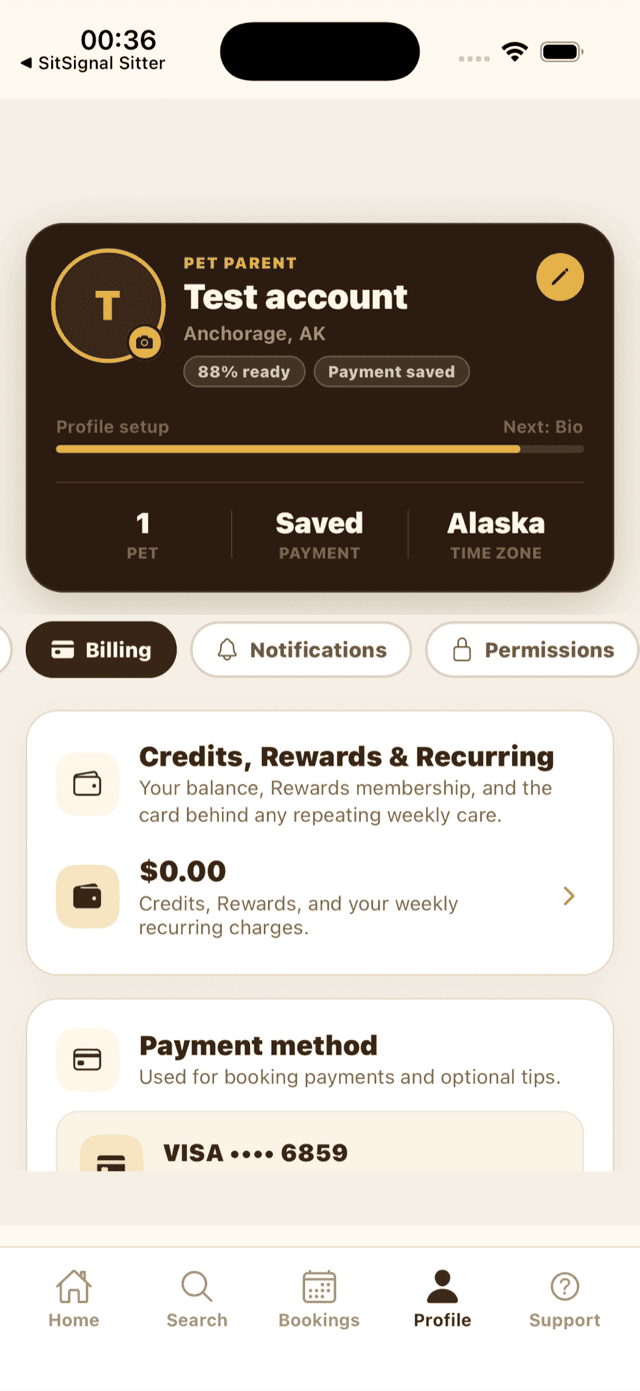
Under Payment method, tap Manage payment method to add or replace your card.
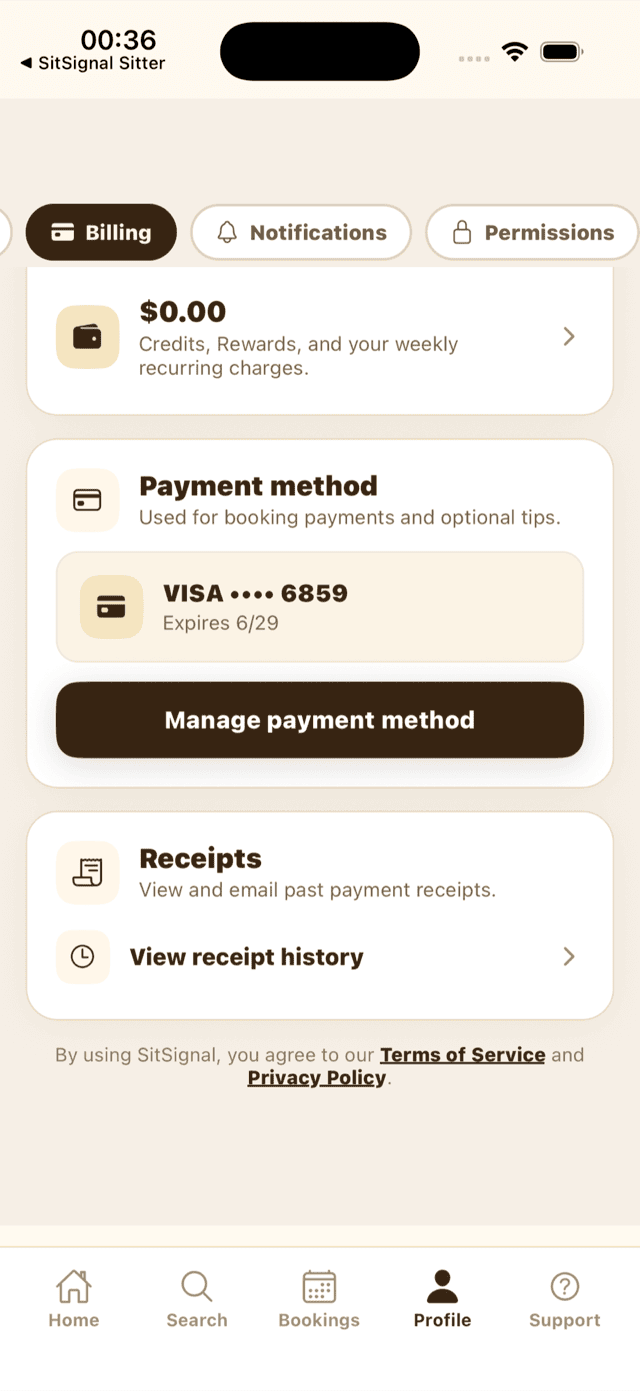
Then open Credits, Rewards and Recurring to manage the arrangements themselves.
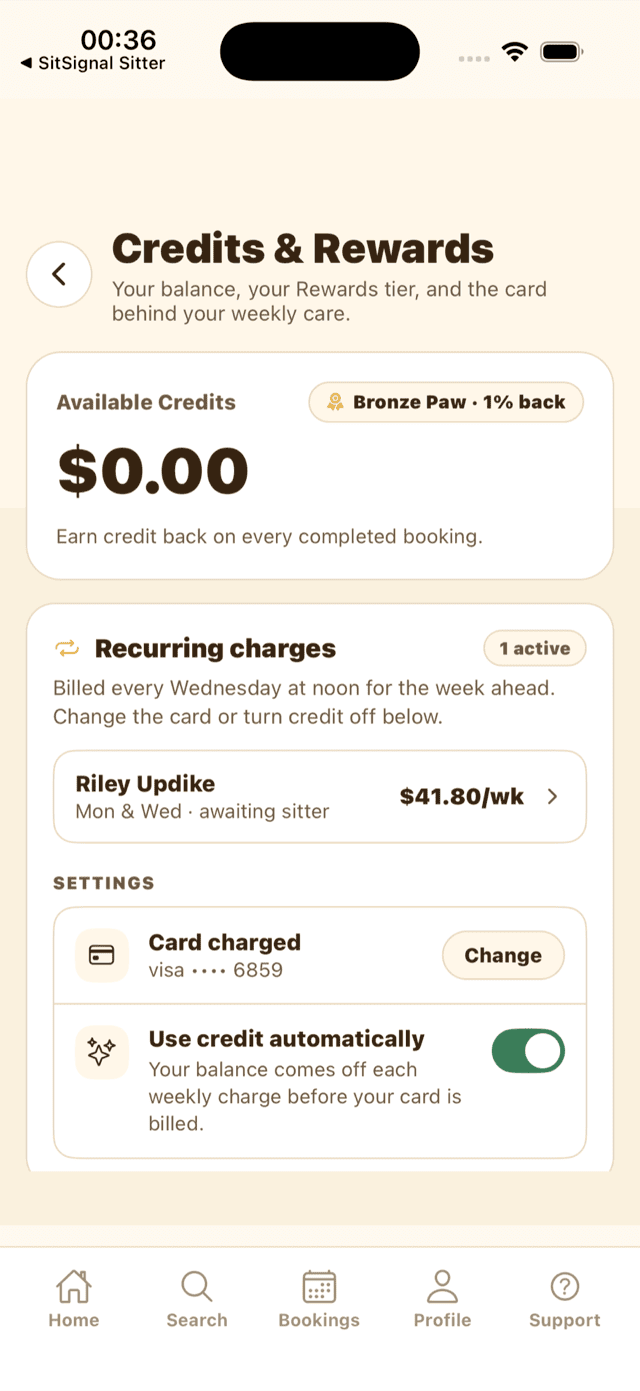
- Recurring charges lists each arrangement with its pattern and weekly amount.
- Card charged — tap Change to pick a different card. There's one card behind all of this: changing it changes every future week of every repeating arrangement, and every other saved-card charge on your account.
- Use credit automatically — on by default. Each week applies your SitSignal Credit first — it can cover the whole week — and bills whatever's left to your card. Your sitter is paid in full either way; SitSignal tops up whatever the credit covered. Any credit left rolls forward. Turn it off to save credit for something else.
We try three times — Wednesday, Thursday and Friday, each at noon in your sitter's local time — and each failure tells you how many tries are left. Adding or replacing your card retries immediately instead of waiting for the next day, and that manual retry doesn't use one of the three. Nothing is attempted on Saturday. At noon on the Sunday before that week starts, the repeating booking ends, the week is cancelled and comes off your sitter's calendar, and nothing is charged. Weeks you've already paid for are untouched.
Every completed week emails and texts you its own review-and-tip link. Tips are handled separately from the weekly payout and released to your sitter 72 hours after they're charged, so tipping never delays their week's pay. SitSignal Credit can't be used for a tip — tips go on your card.
Yes — one per completed week, so a year of walks leaves a year of reviews instead of one being overwritten every week. From your second completed week onward your reviews carry a Repeat client tag on your sitter's profile.
Sitters: accepting, and when you get paid
A repeating request arrives like any other, marked Repeats weekly. Accepting is a standing commitment rather than a date range, so the confirmation spells out the pattern, what a full week is worth to you after the SitSignal fee, and what it does to your calendar — before you tap.
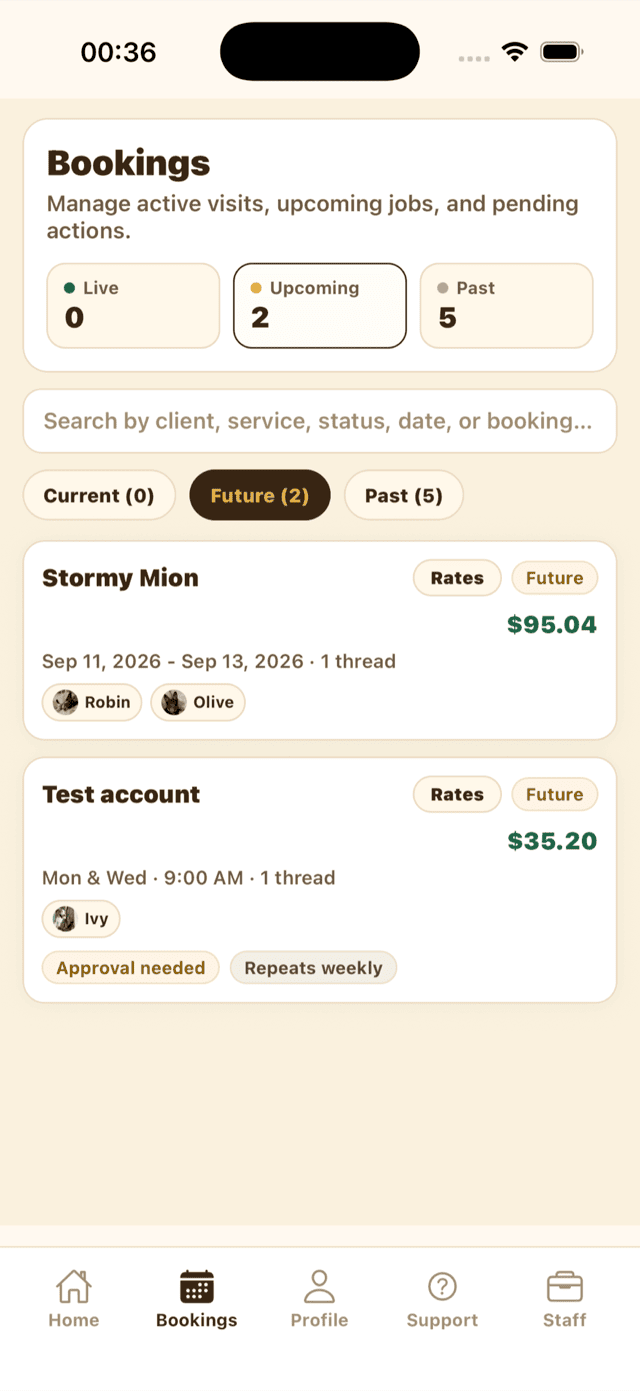
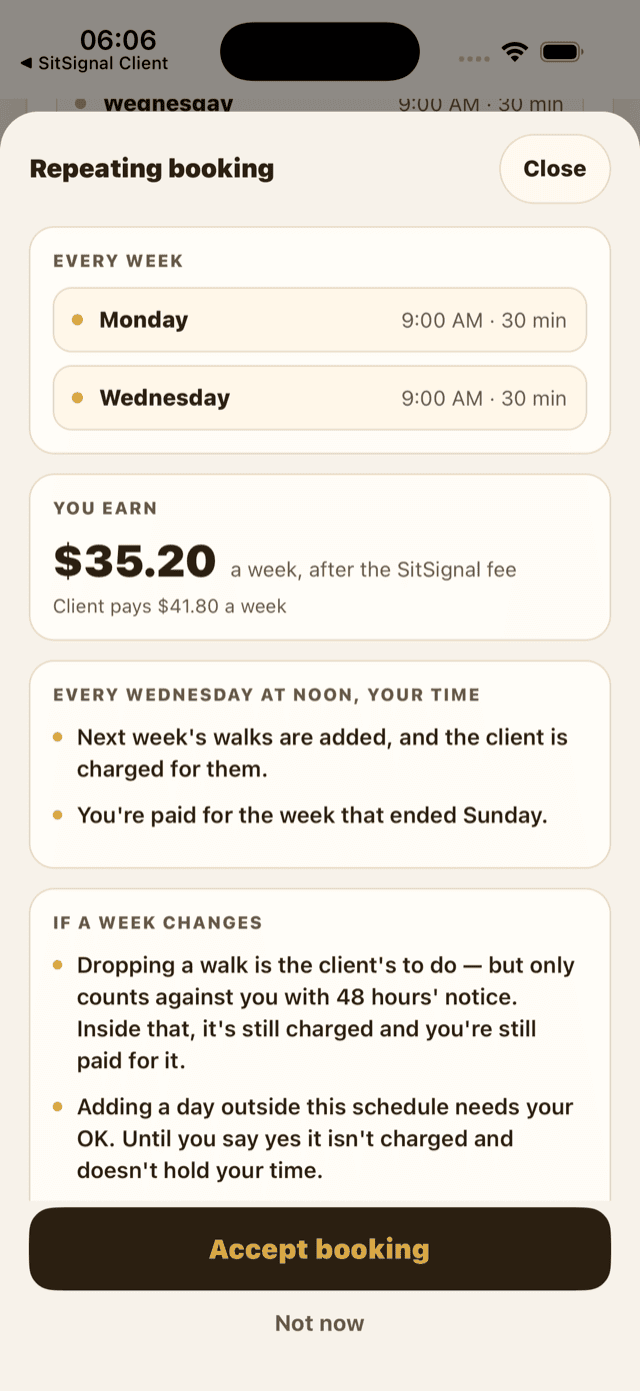
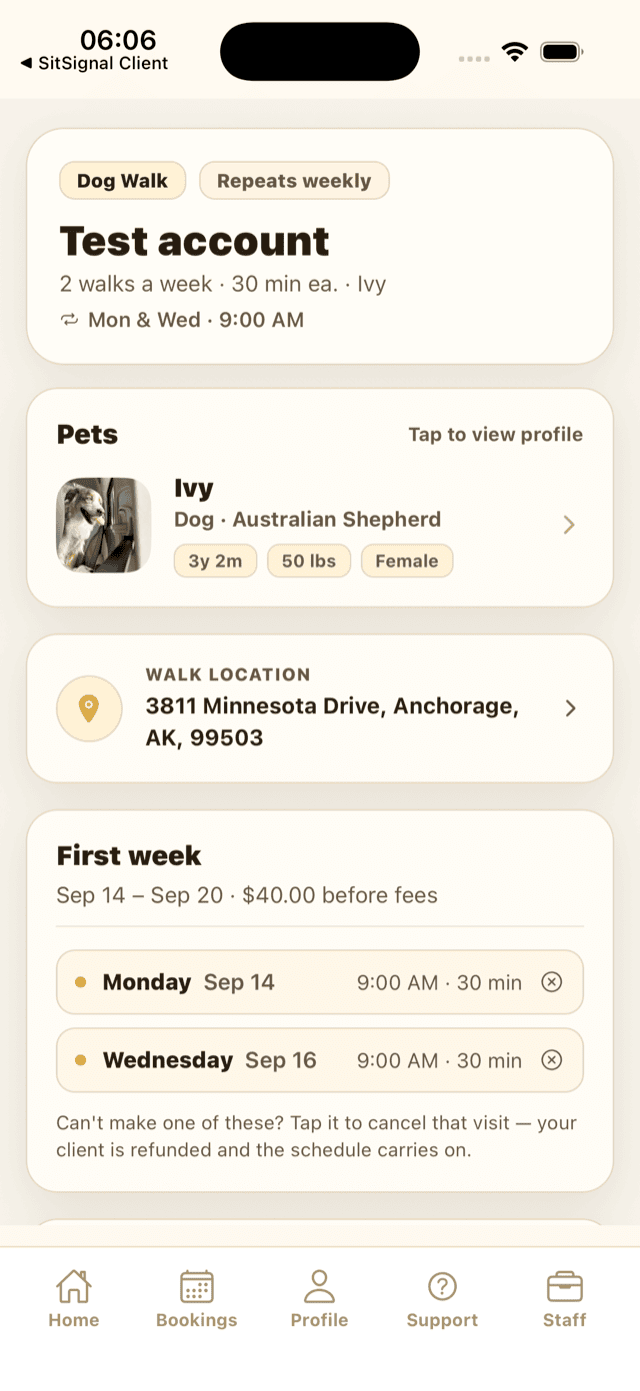
Once accepted, the booking shows each week on its own card. Tap any visit to cancel just that one.
- You're paid week by week, not once at the end — each week pays out on the Wednesday after it finishes, once every visit in it has been closed out. An unfinished walk or an un-checked-out drop-in holds that whole week's pay until you close it.
- Funds typically reach your bank 1–2 business days after a payout is released.
- Commission is the same as any other booking: 12%, or 9% for Partnered Sitters.
A week only pays when it's closed out, which means every visit in it has reached a final state and at least one was actually completed. An open walk or a drop-in you never checked out of holds that whole week's money. Once the week is closed, payout is the Wednesday after it ends at noon your time, and the sweep re-runs every hour until it goes through — a missed run doesn't cost you a week.
Your rate, yes — every week is priced fresh on the Wednesday it's charged, so a new rate applies from the next week and your client is told the price changed. Your cancellation notice window, no — it's fixed onto each arrangement when it's created, so changing your profile setting only affects new ones.
Sitters: managing your recurring care settings
Two settings control repeating work, and they live in different places.
Your recurring rate — Profile then Pricing. Dog Walking and Drop-Ins each have a Recurring price next to the normal one. Repeat work is predictable work; pricing it lower than your one-off rate is up to you. Leave it matching your base rate and nothing changes.
Your cancellation notice — Profile then Availability then Service settings then Repeating care.
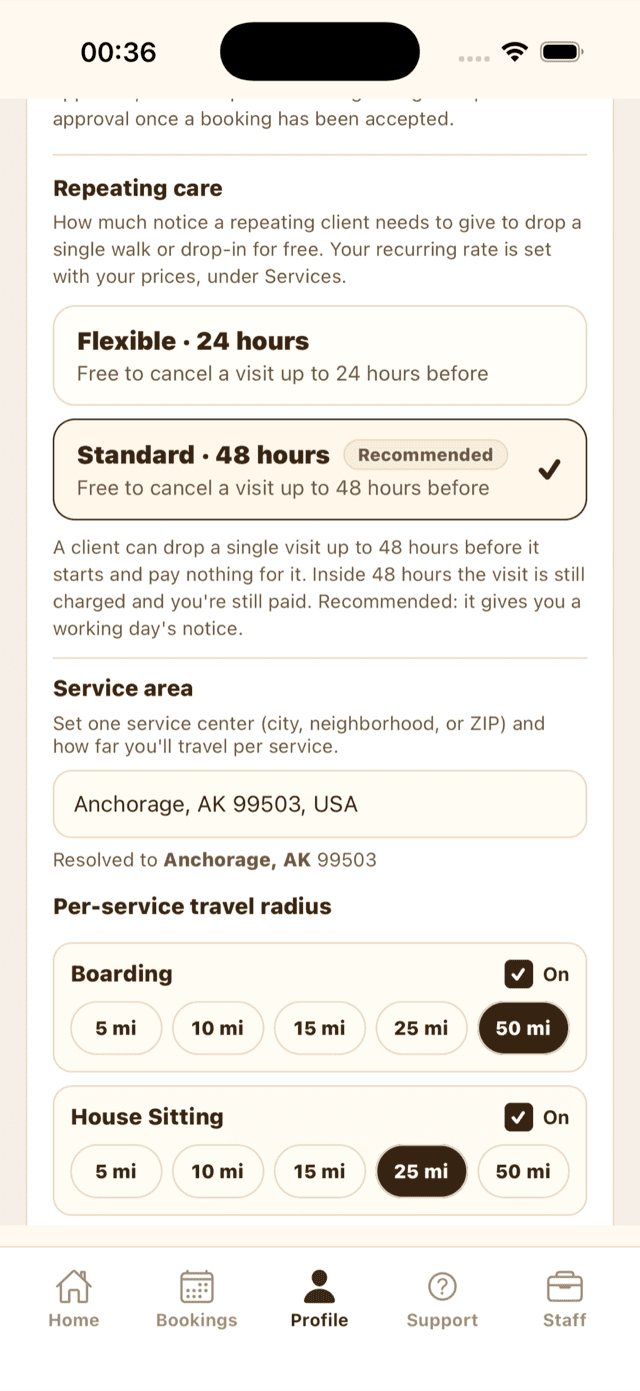
- Flexible — 24 hours. A client can drop a single visit up to 24 hours before it starts and pay nothing for it.
- Standard — 48 hours. The same, with a full working day's notice. Recommended, and what applies if you never choose.
Either way, a visit dropped inside your window is still charged and still paid to you — you held the slot and it was too late to fill. This policy is separate from the Flexible / Moderate / Strict policy that covers your boarding and house sitting.
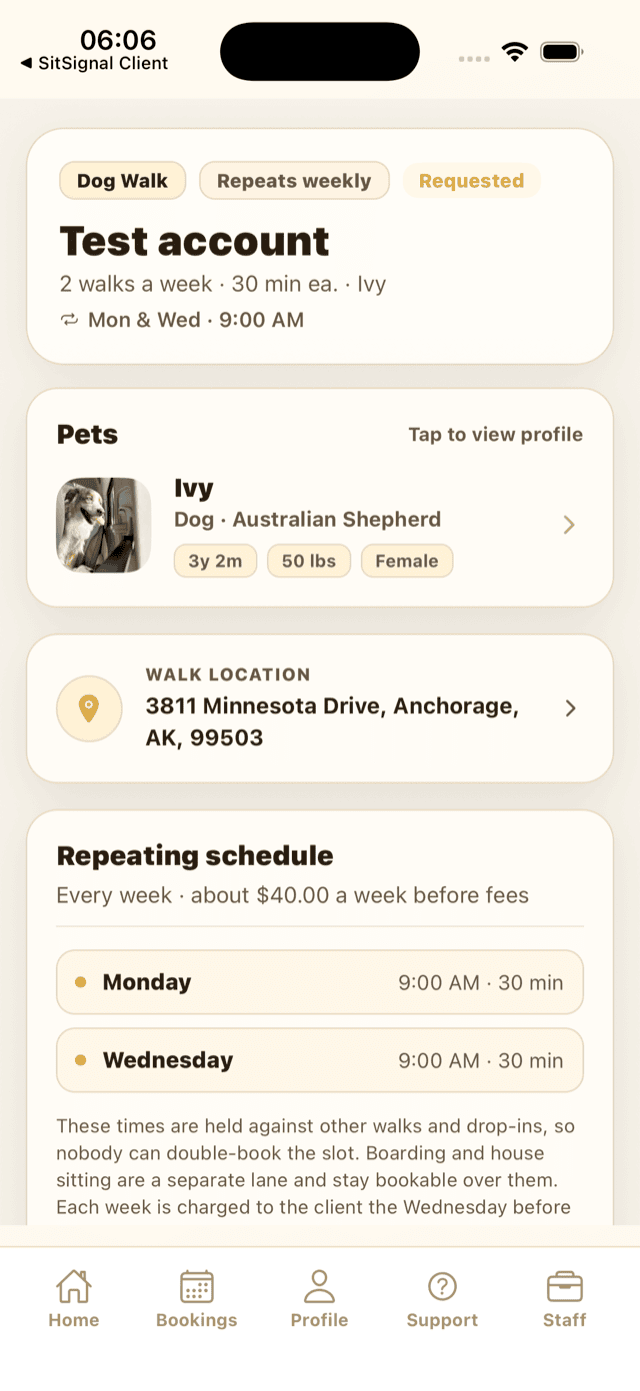
No. Clients can draft or skip months ahead, but drafts do not reserve your time. A week becomes a calendar commitment when it finalizes and charges at noon on the Wednesday before it starts. If it clashes then, it is skipped free and you're both told. Boarding and house sitting remain a separate lane.
Cancel individual visits, and answer a request for an extra day outside the usual pattern. You can't rewrite a week, move a time, or decline one week — the week editor belongs to the client. Ending the arrangement is available to either of you at any time.
Ending a repeating arrangement
Either side can end it at any time, from the booking. Nothing is charged to end it and no notice is required.
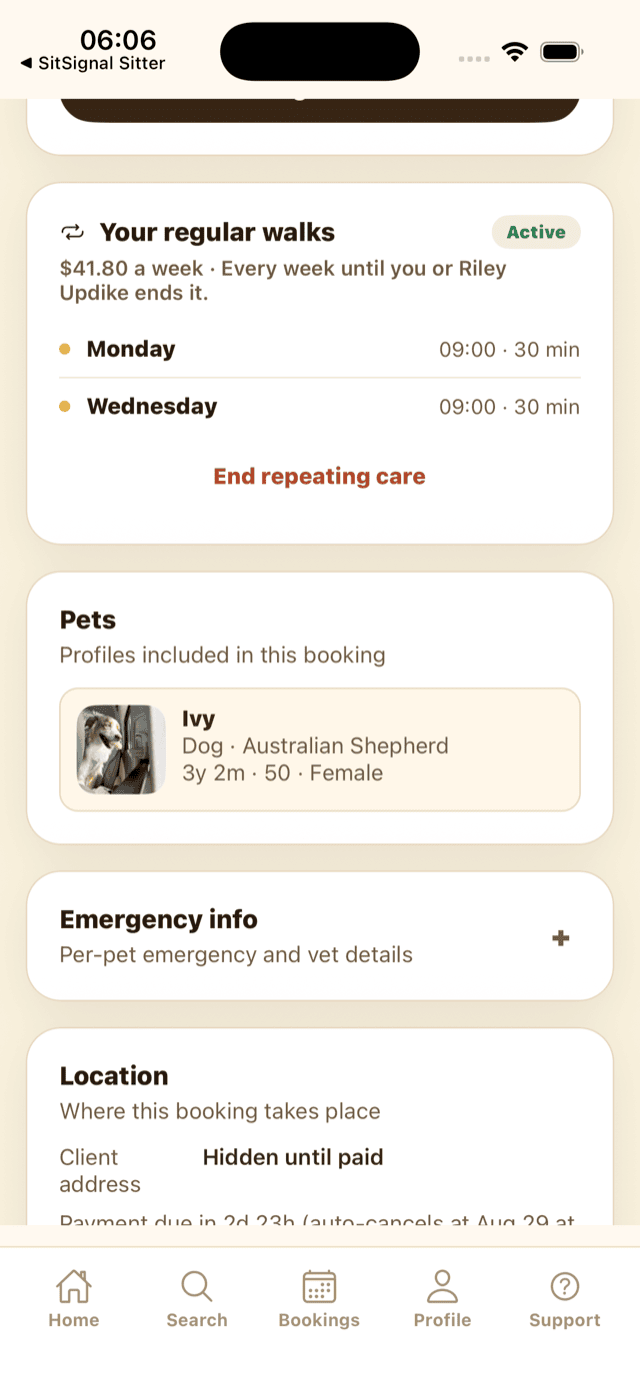
Ending stops new weeks from being booked. A week already charged still goes ahead as planned — the sitter does that work and is paid for it.
A repeating booking can also end on its own: if a weekly charge can't be taken after three tries, or if the first week is never paid for.
It stands. Your sitter does that week and is paid for it — payouts for finished weeks run whether the arrangement is still going or not. What you lose straight away is the week editor: after ending, you can't add or rearrange days. You can still cancel individual visits, and whether you get anything back for them is still your sitter's notice window.
That week is skipped and you're both notified, and nothing is charged for it. One clash and the arrangement carries on. Two weeks clashing in a row and it's paused — you'll need to sort the schedule out with your sitter and book again.
Yes. Each is its own agreement with its own schedule and its own weekly charge. They all bill to the same card on your account.
Yes — every completed week earns rewards on its own, rather than waiting for an arrangement that never ends.
Yes — you can create a repeating booking and cancel individual visits at sitsignal.com. Adding a day to a single week is currently done in the app.