 SitSignal
Before you begin
Daily reports are required once per calendar day during a house sitting stay. Complete the report after you have finished that day's pet care, walks, home checks, and any scheduled home responsibilities.
Open the daily report from Bookings
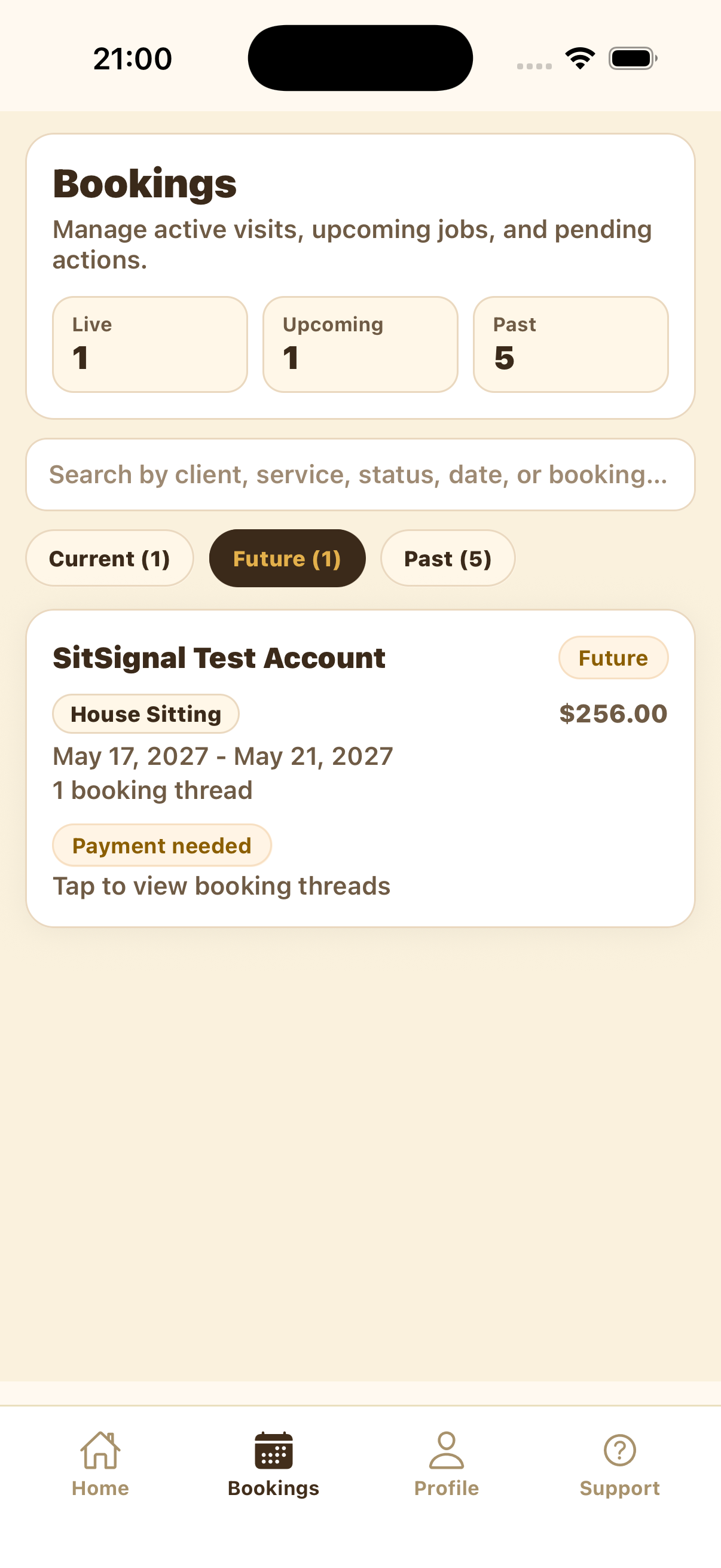
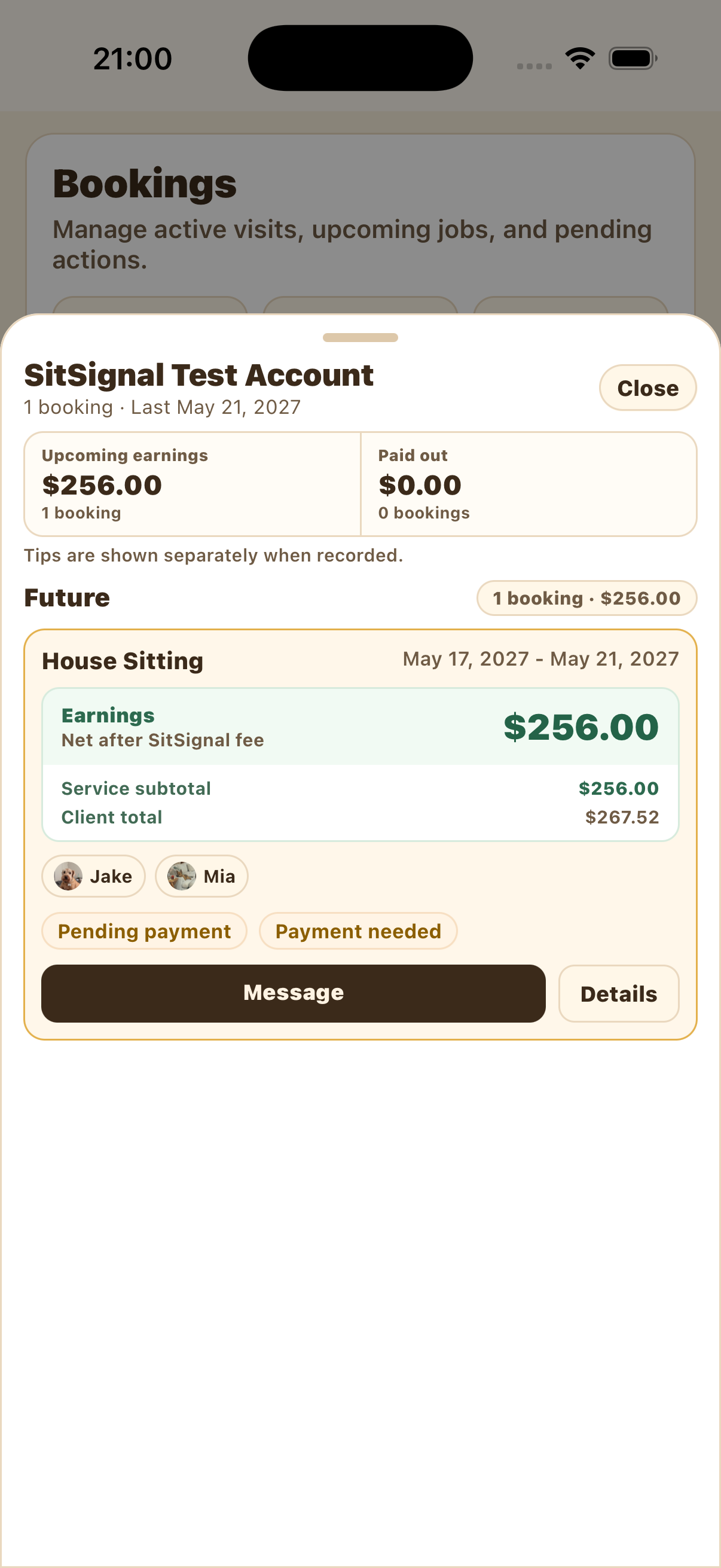
Open the Bookings tab, find the correct client booking, and expand it. Press Details on the booking card.
Start the report
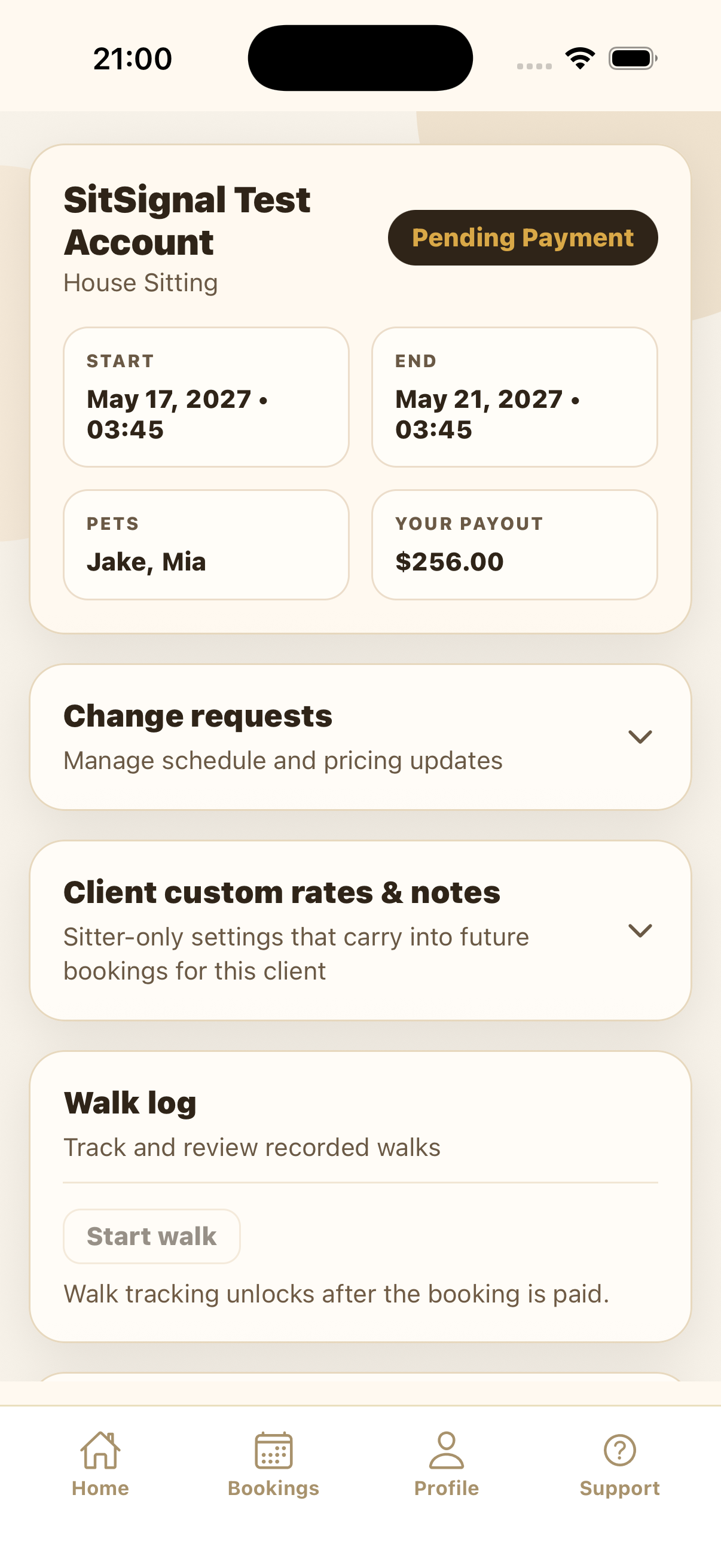
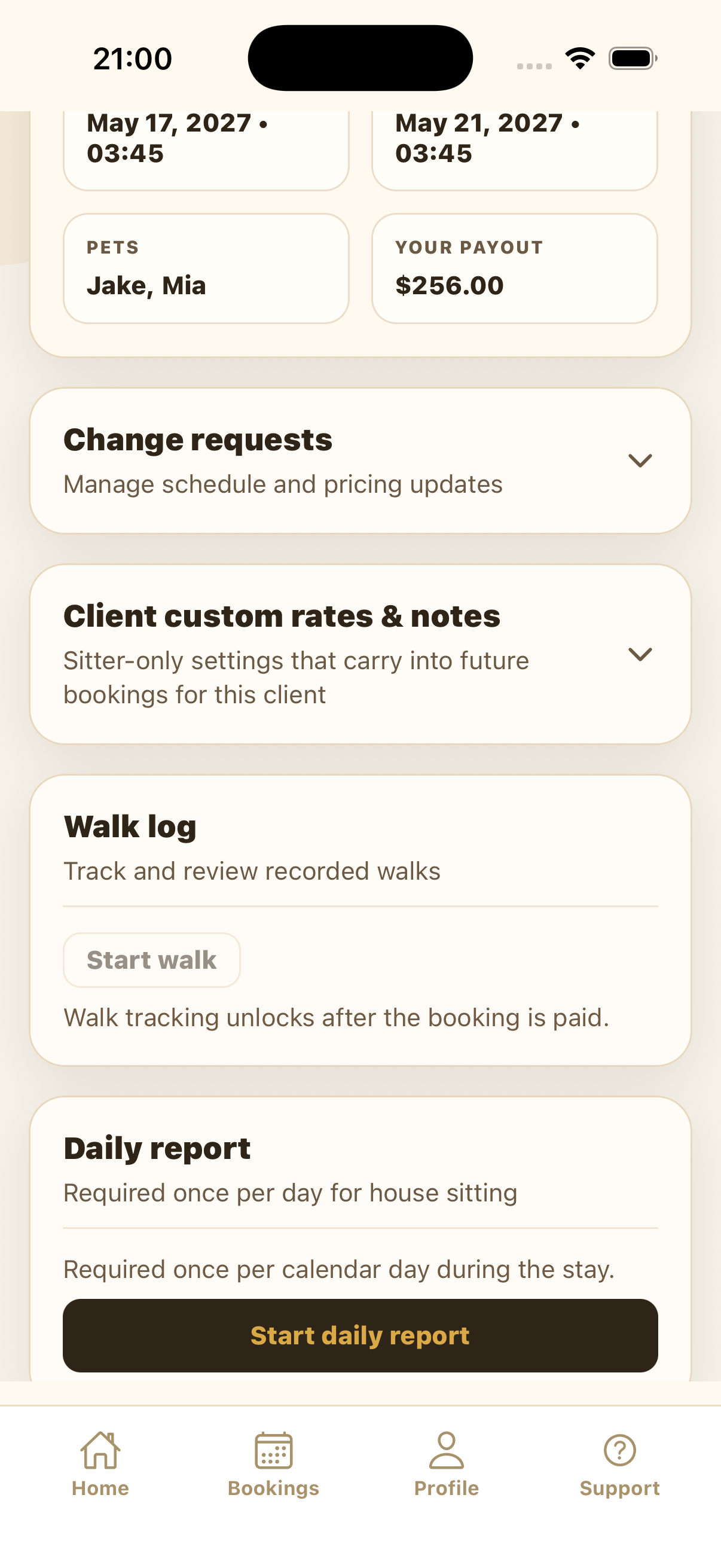
On the booking details page, scroll to Daily report. Press Start daily report.
Complete the Pets tab
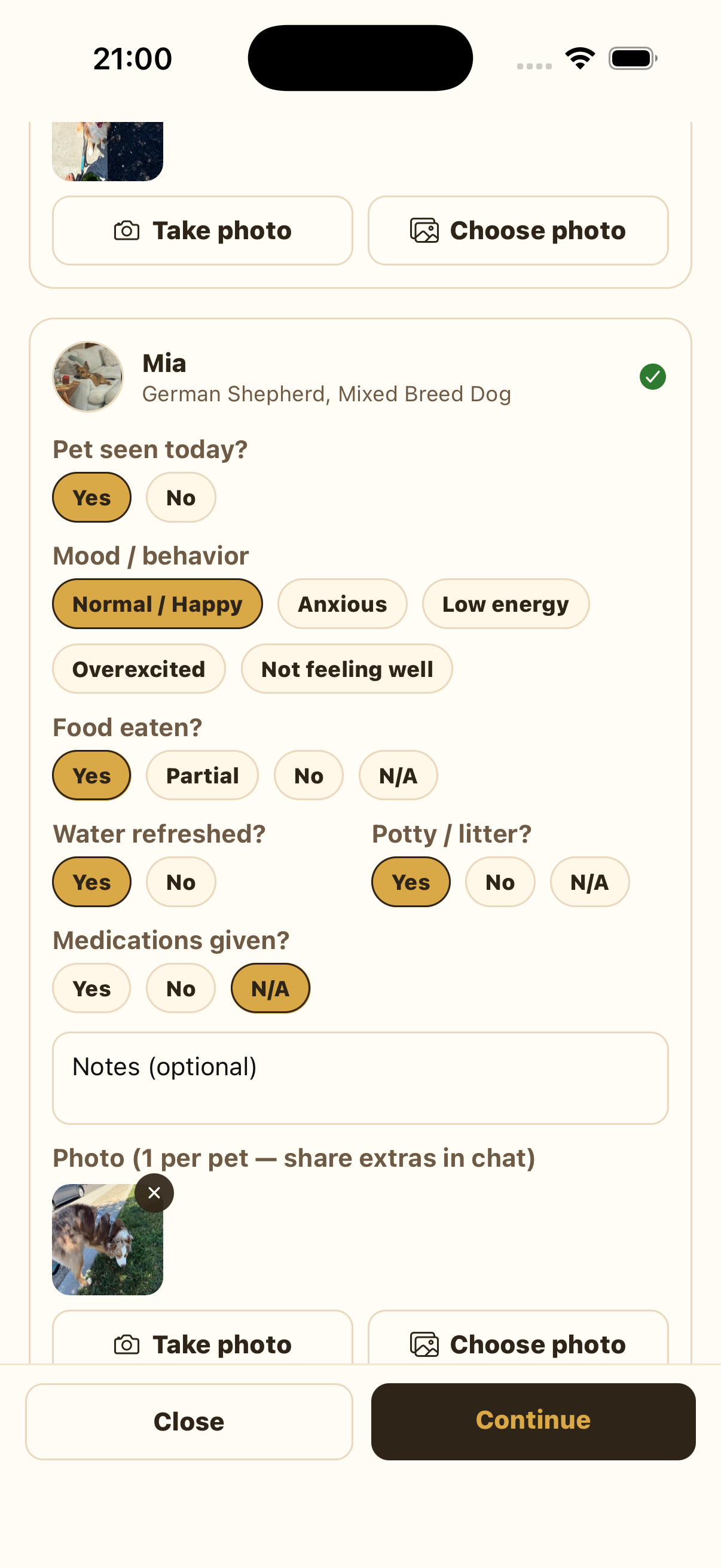
Fill out every required field for each pet: seen today, mood or behavior, food, water, potty or litter, medications, and any needed notes. Select one photo per pet. Share extra photos in booking chat.
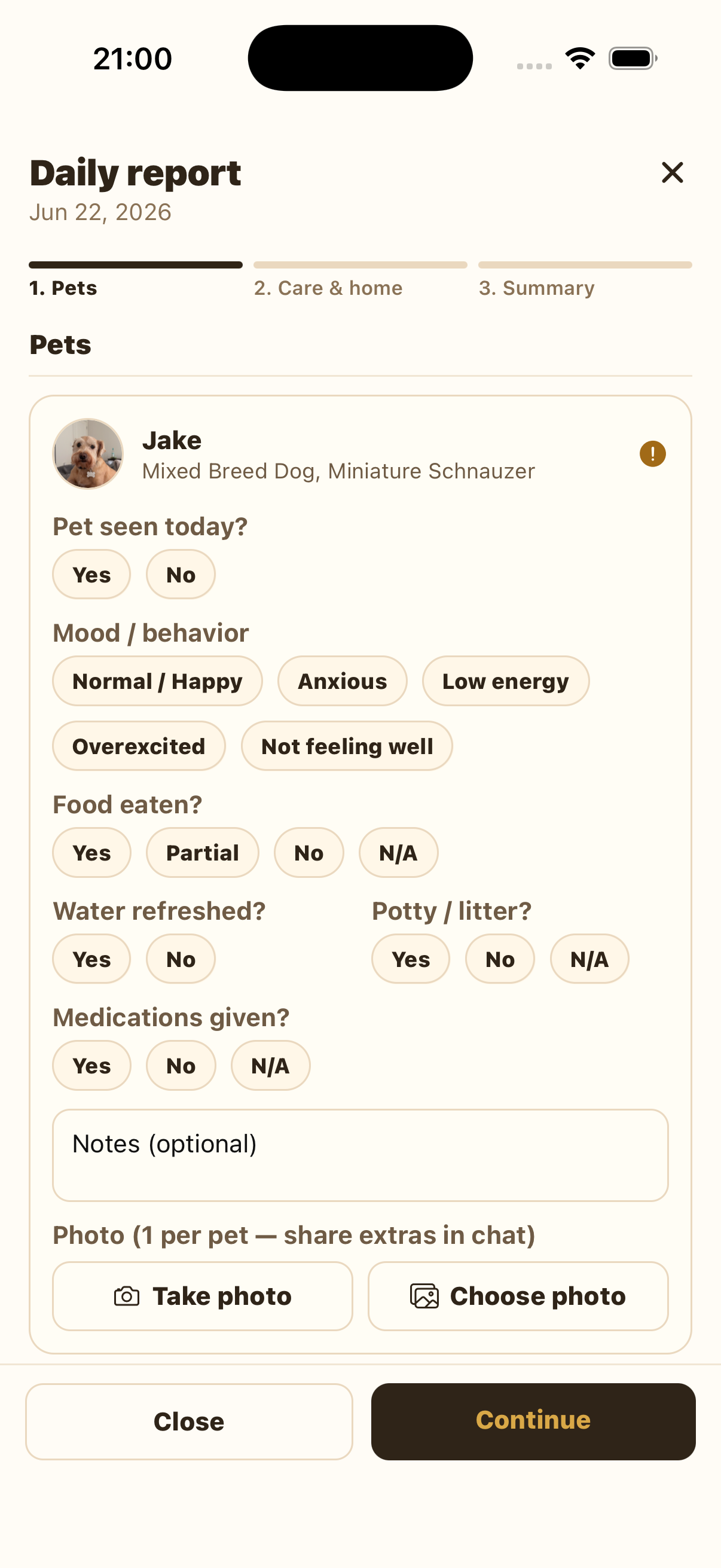
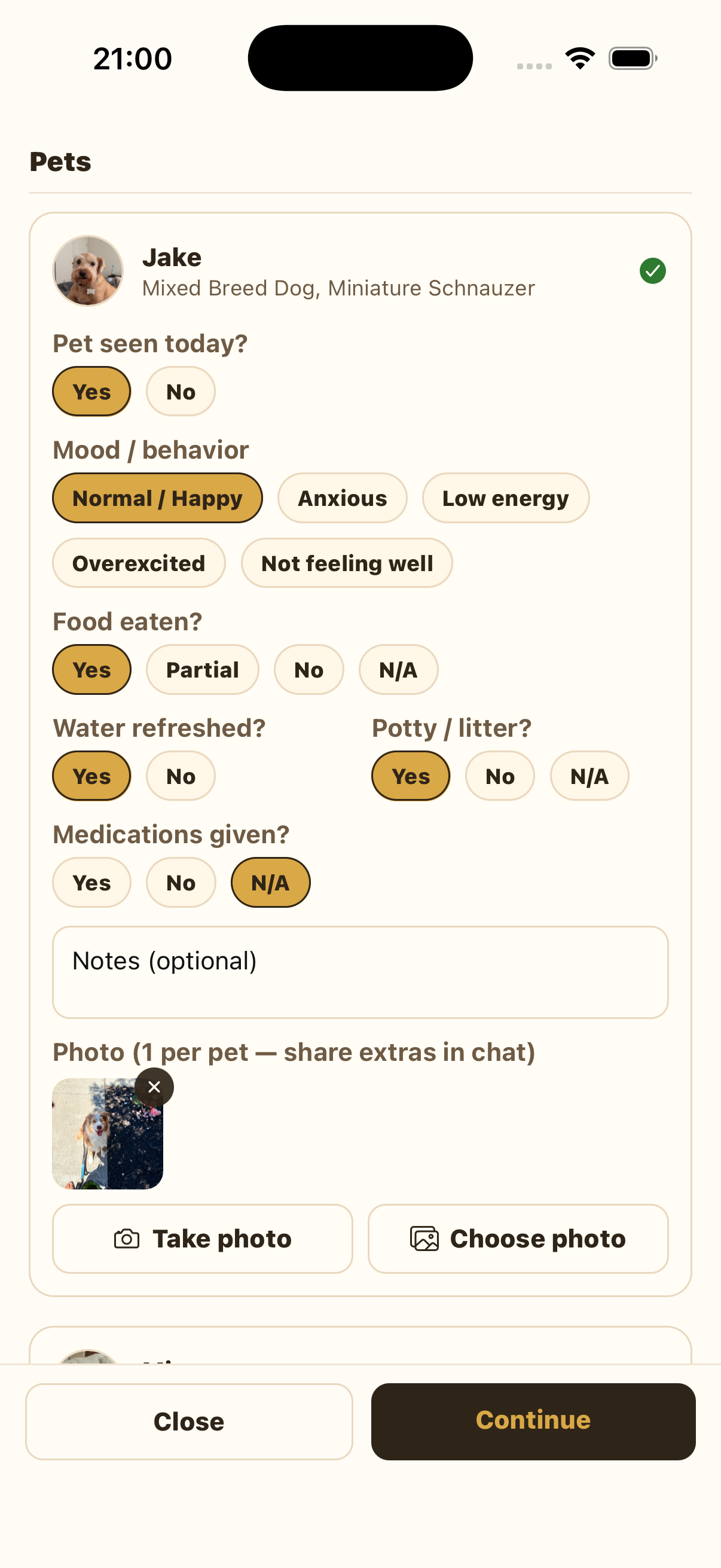
Repeat the same process for every pet on the booking. Press Continue only after each pet has a completed section and photo.
Complete Care & home
Answer whether walks were completed. For house-sitting bookings, GPS-tracked walks for that report date load into this section automatically. If no tracked walks appear, select Yes and enter the walk count, each walk's duration, and distance manually to the best of your ability. Select No only when no walks were completed.
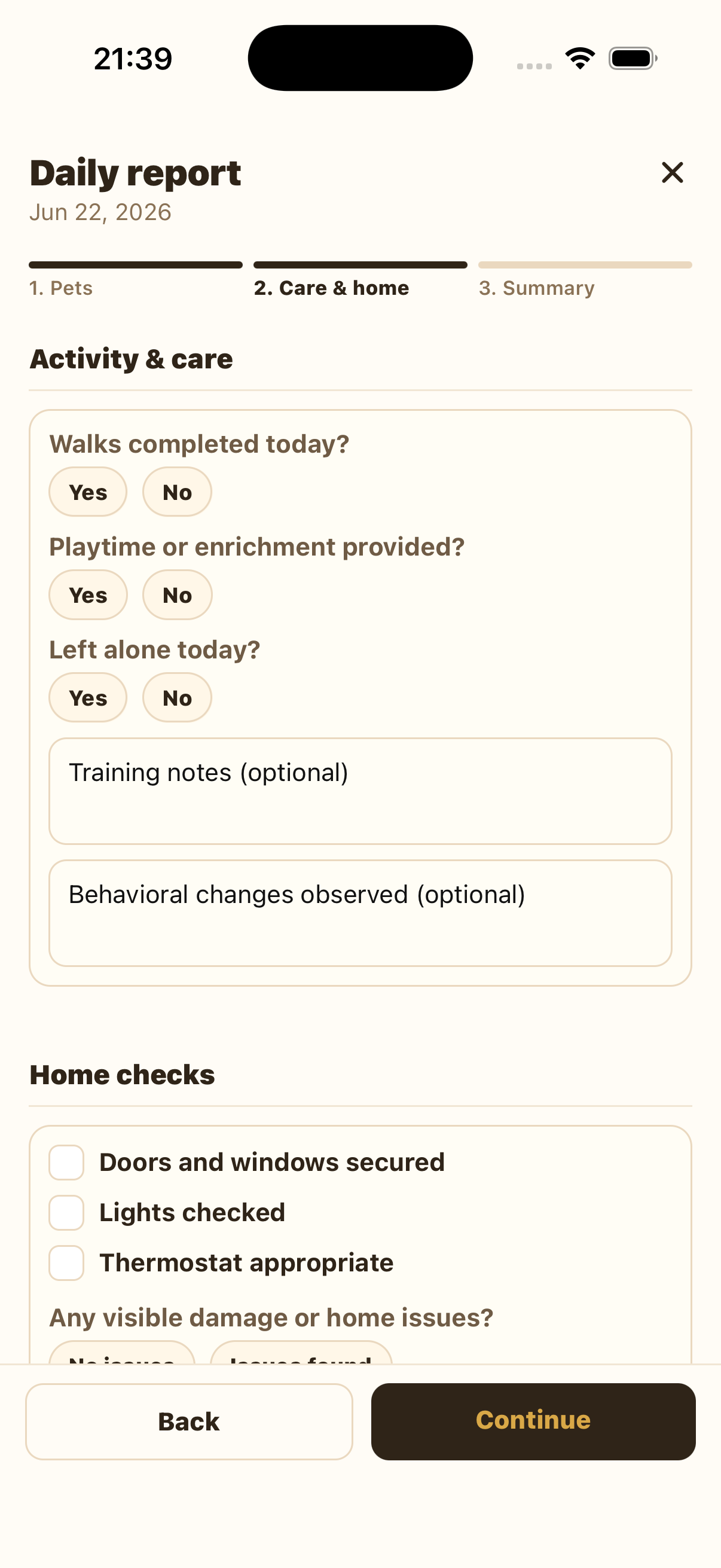
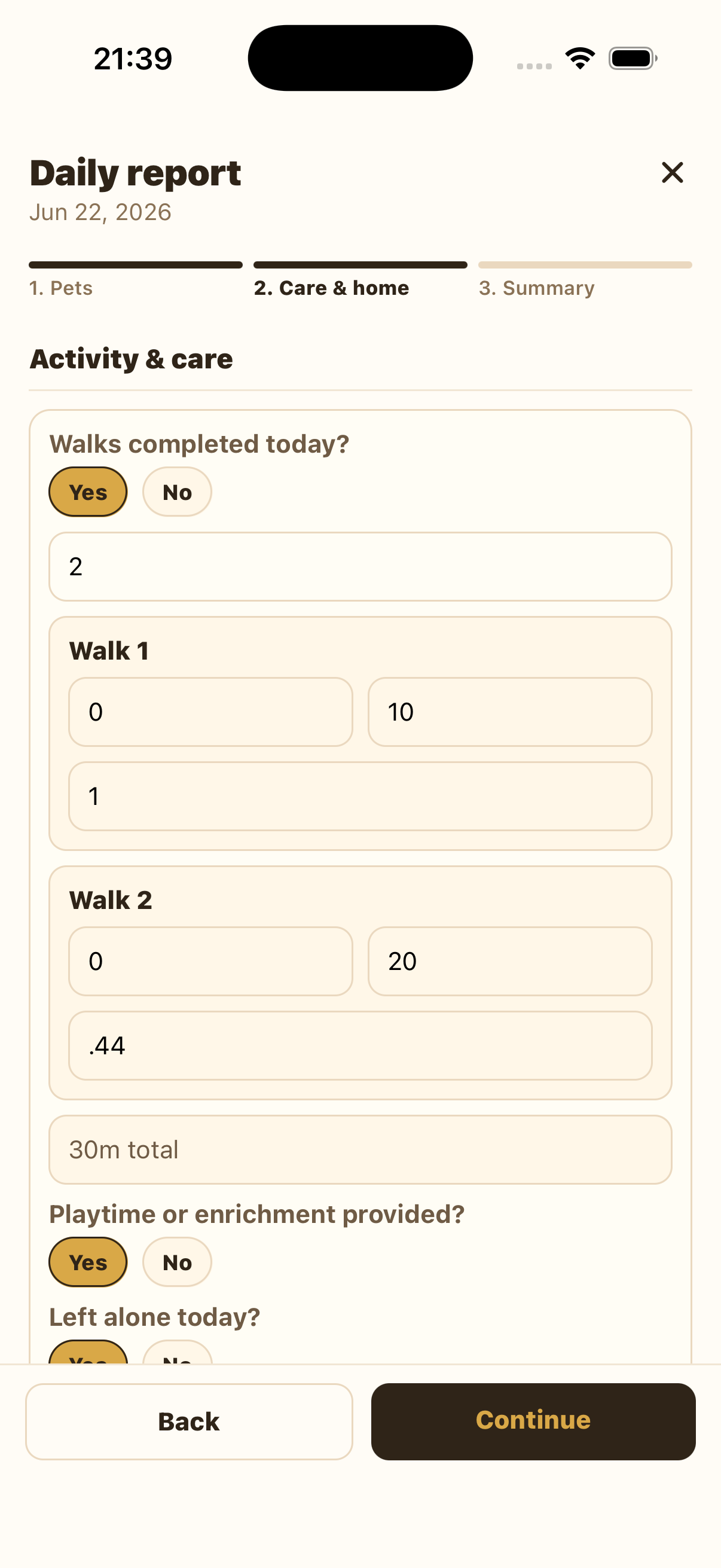
If you provided playtime or enrichment, select Yes. If the pets were left alone, select Yes and enter the approximate duration. If not, select No.
Home checks and responsibilities
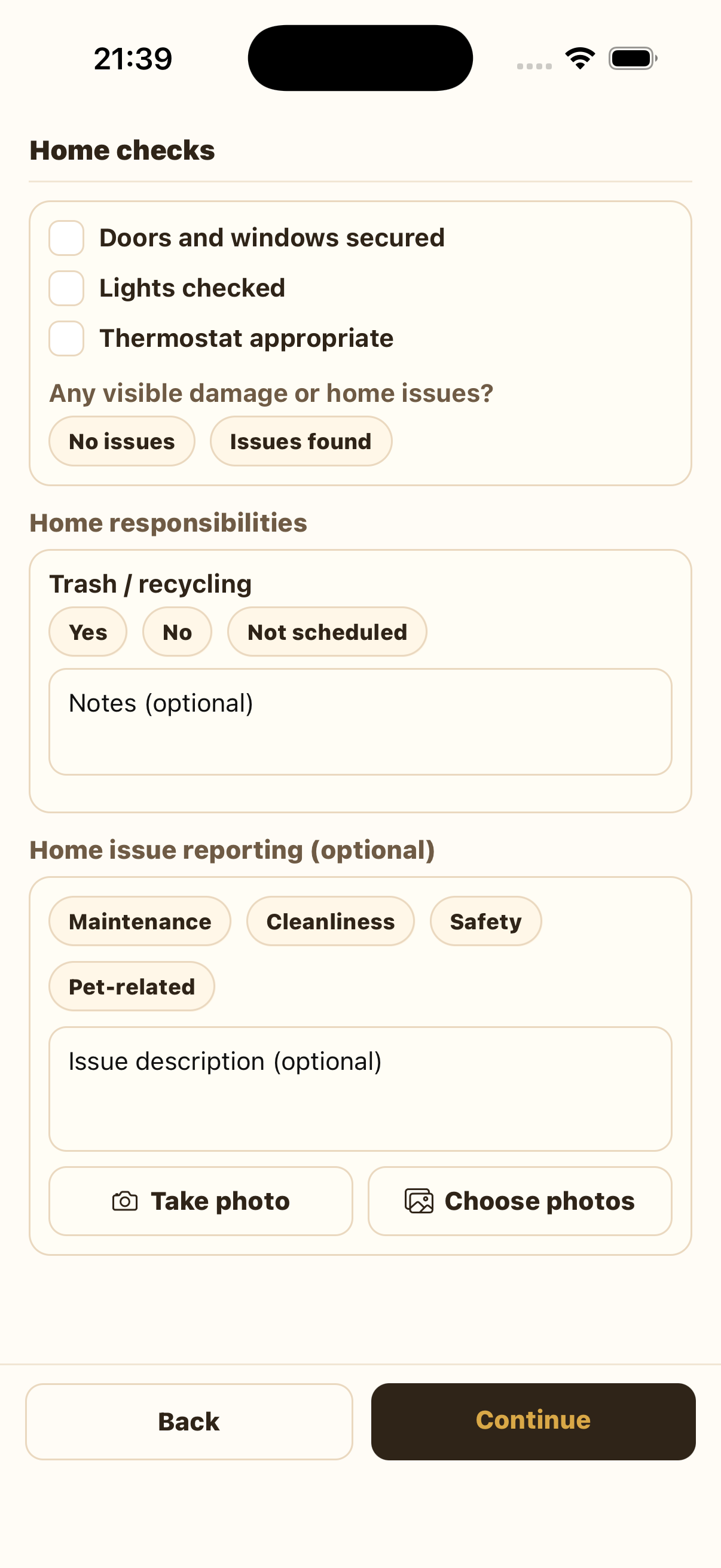
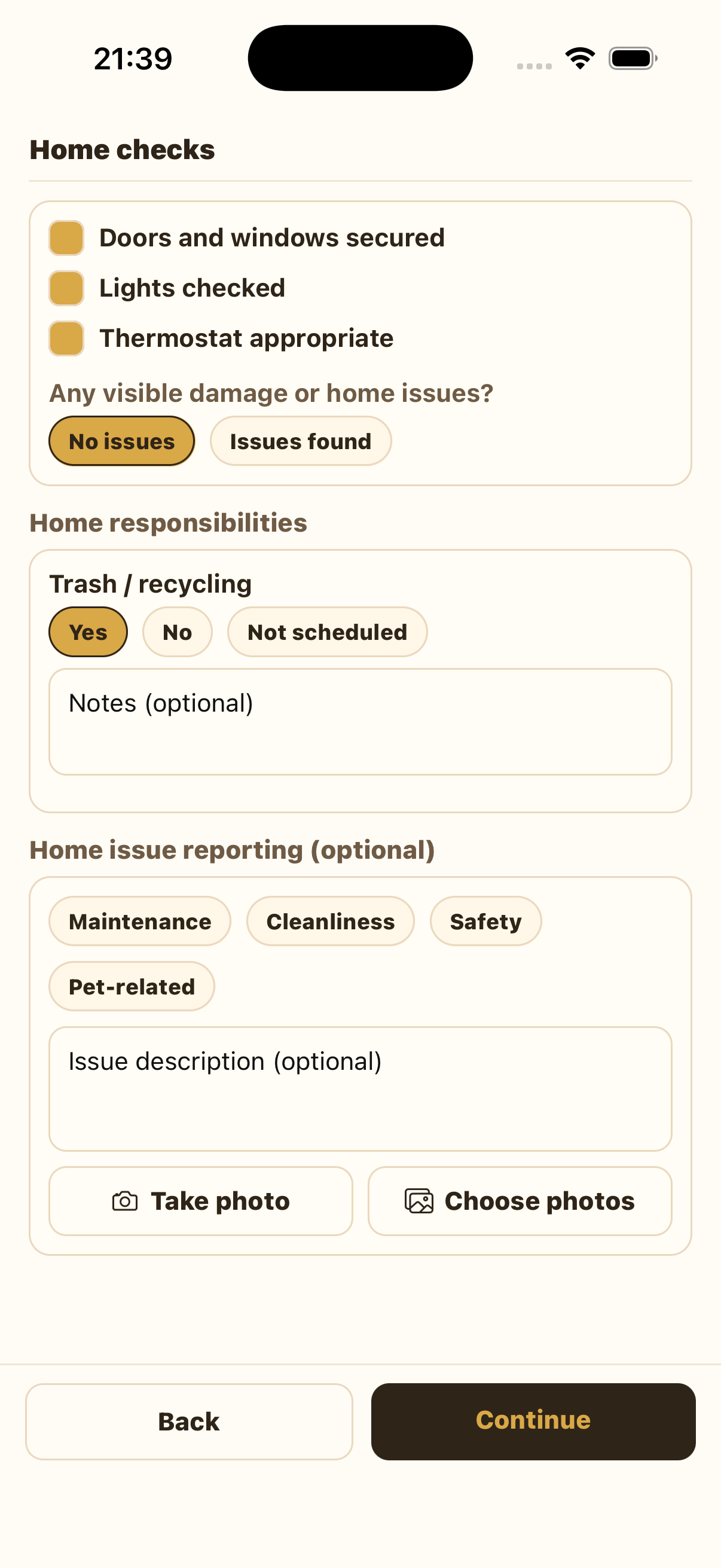
Complete home checks accurately: doors and windows, lights, thermostat, and visible damage or home issues. If there is an issue with the home, select Issues found and add details in Home issue reporting. If there are no issues, select No issues and leave the issue reporting box blank.
Write the Summary
On the Summary page, provide an overall day summary. If the client needs to know anything before tomorrow, put that in the second box. If there is nothing urgent, leave the optional box blank.
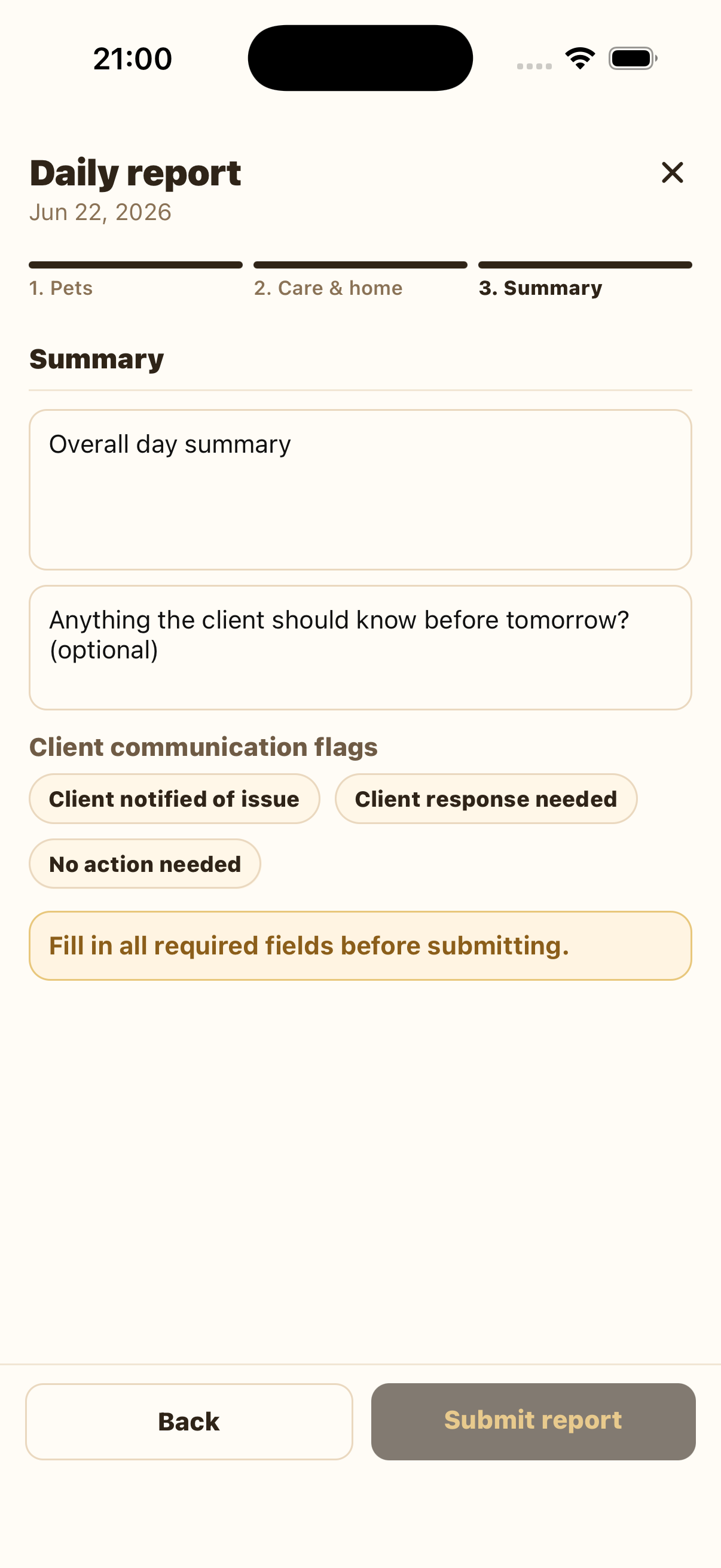
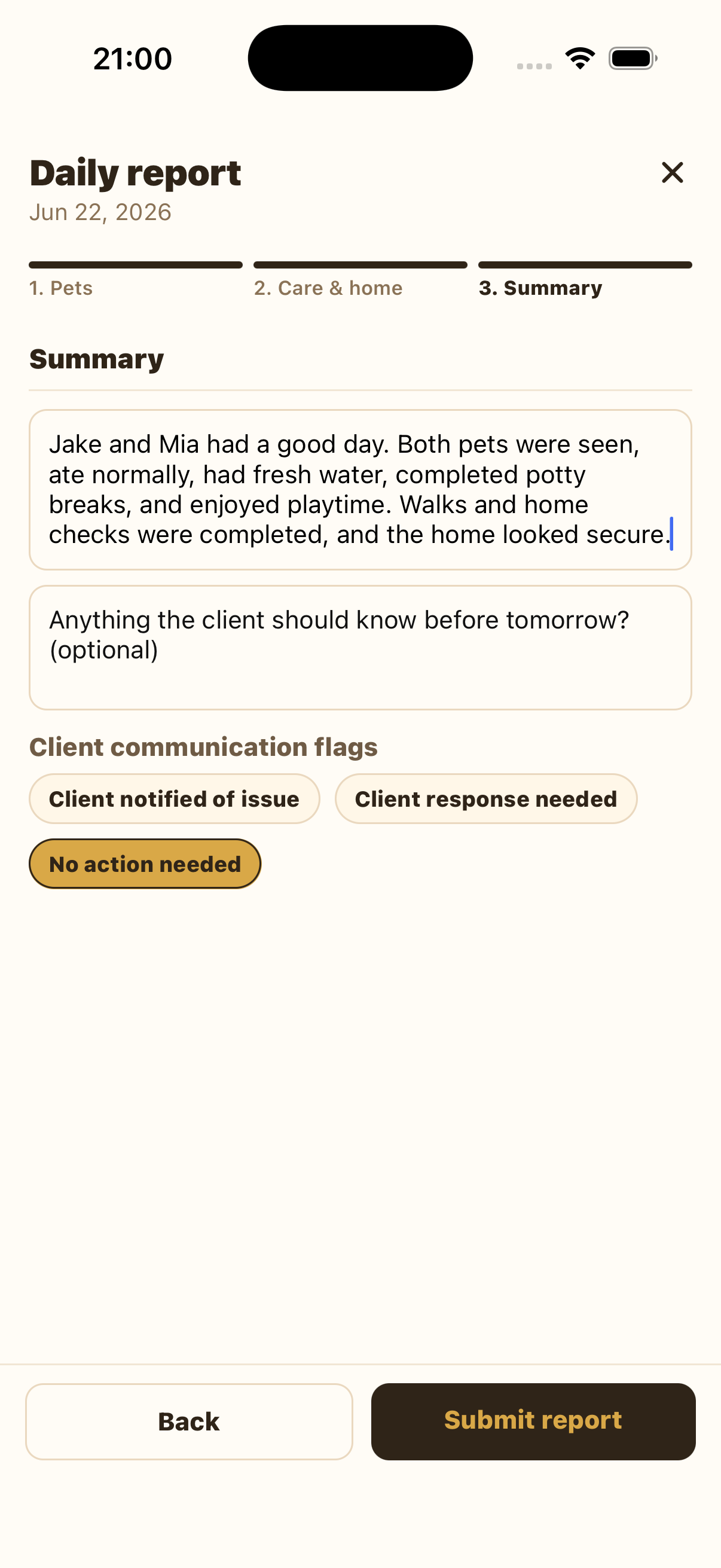
Choose the correct client communication flag: Client notified of issue, Client response needed, or No action needed. Review the report, then press Submit report.
Tips
Mark the task accurately and leave notes explaining what happened. Do not mark a responsibility as complete if it was skipped or could not be done.
Select the relevant issue category, describe the issue clearly, and attach photos if useful. If there is no issue, leave the home issue reporting box blank.
Use it when the client needs to answer before the next day of care, such as approving a change, clarifying instructions, or responding to a concern.