 SitSignal
What client custom rates do
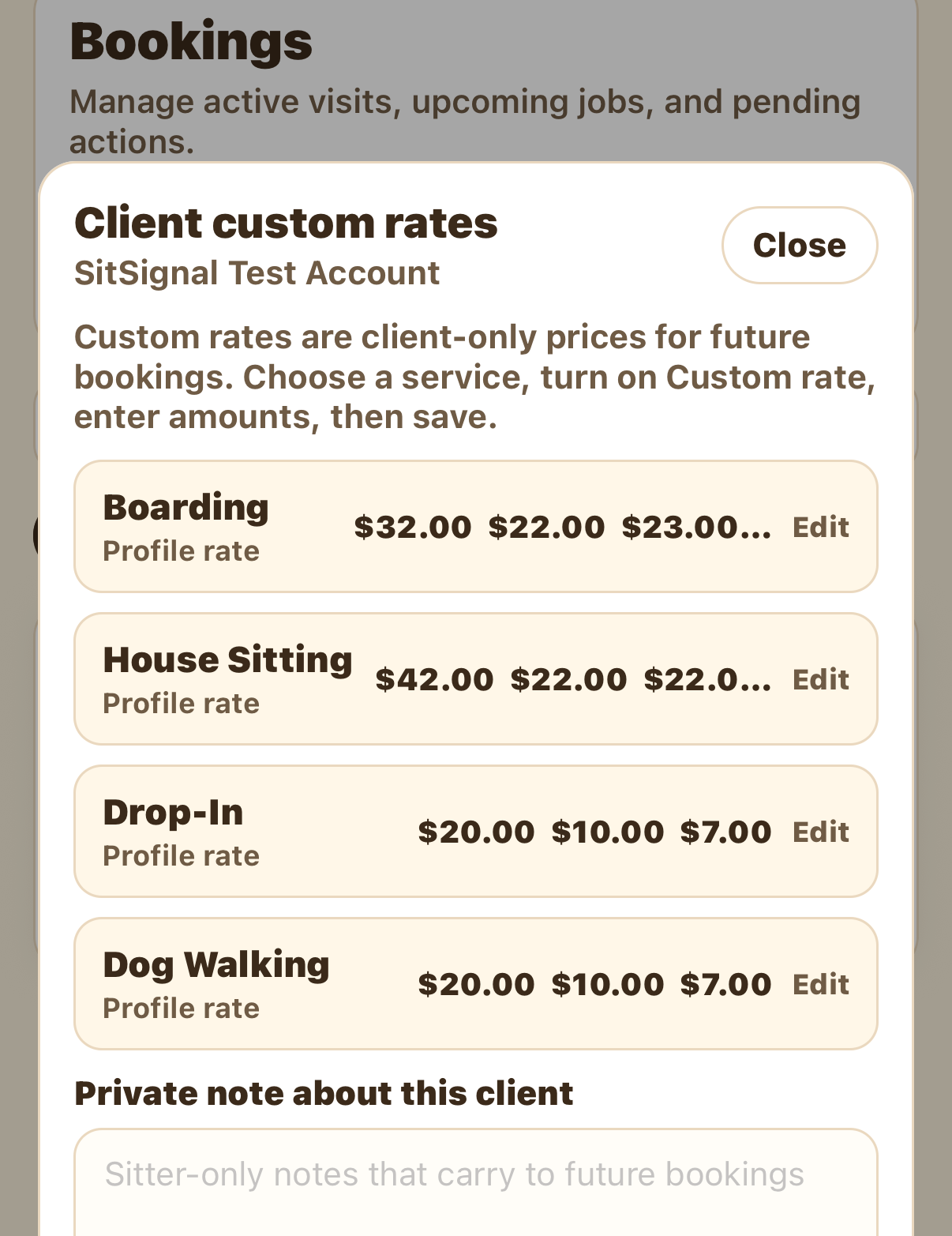
Custom rates are client-only prices for future bookings — they don't change a booking that's already in progress, and they don't change your public profile rates. They simply mean the next time this client books you, your custom price is used.
Open the client's rates
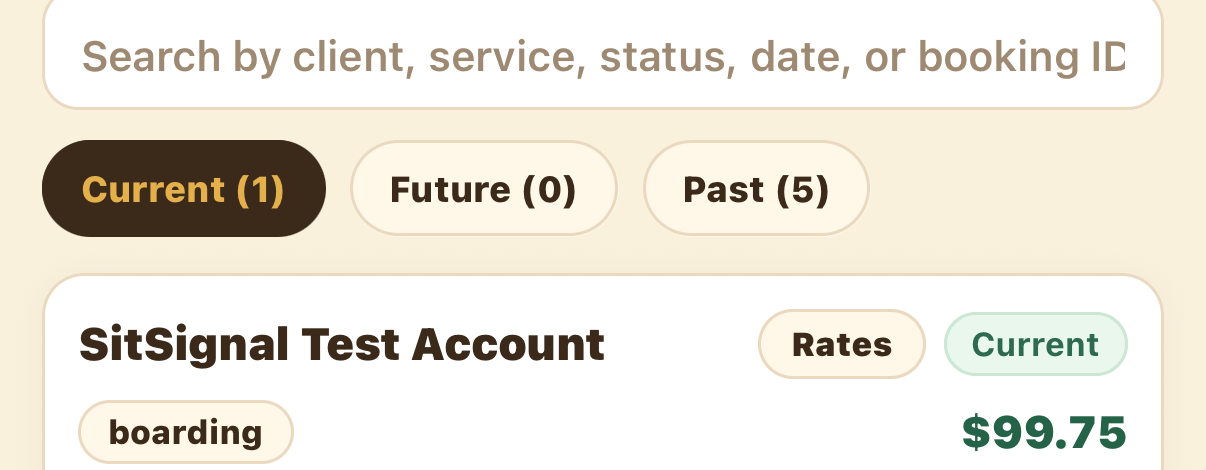
On the Bookings tab, find the client and tap Rates on their booking card. The Client custom rates sheet lists each service with its current profile rate.
Turn on Custom rate and enter prices
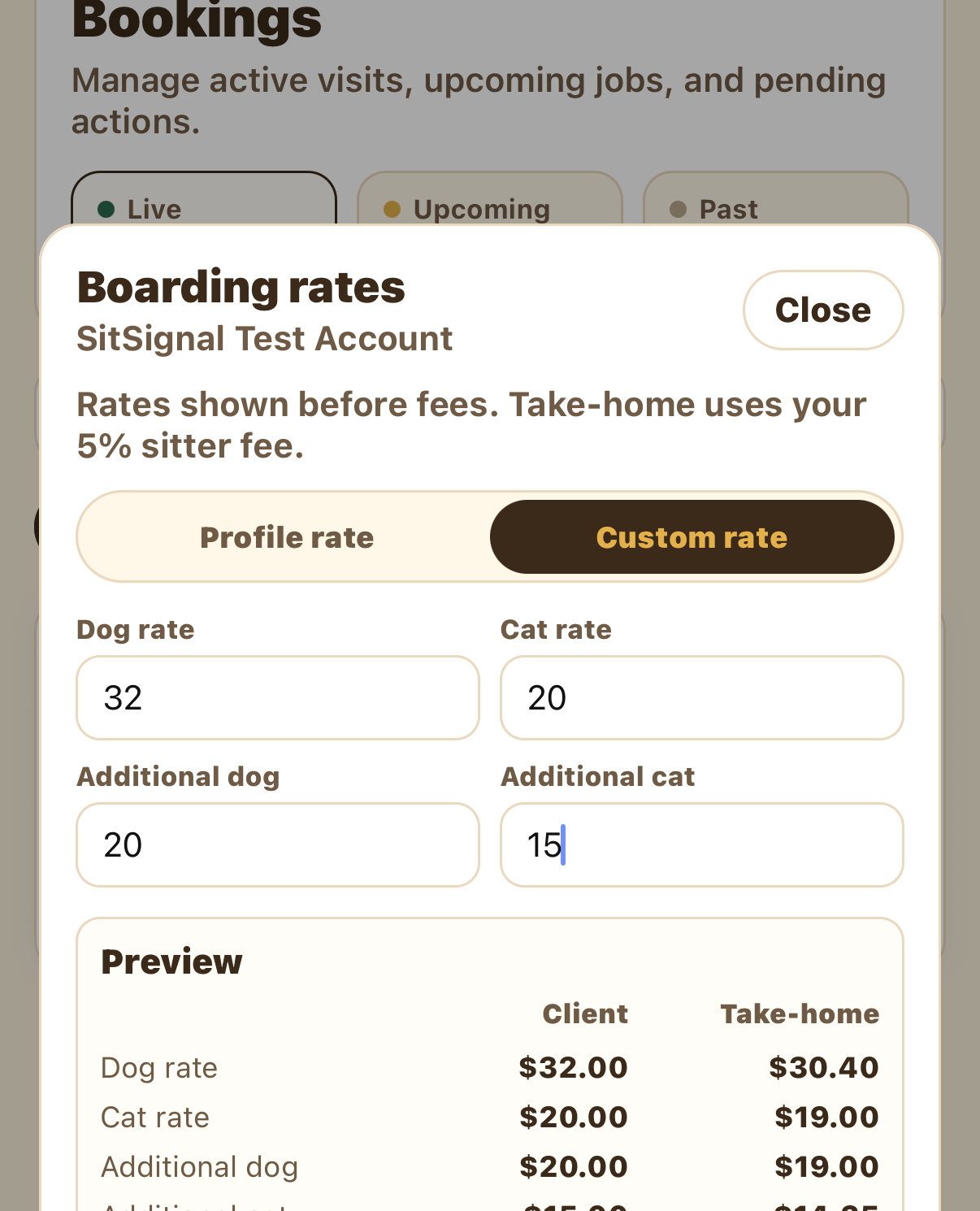
In the service editor, switch from Profile rate to Custom rate, then enter your prices — dog, cat, and any additional-pet rates. Rates are entered before fees, and the Preview shows the client price next to your take-home for each line.
Add a note and save
Tap Done to apply the service, repeat for any other services, and add a private note about this client if you like — it's sitter-only and carries to future bookings too. Then tap Save.
FAQ
No. Custom rates apply to this client's future bookings, not one that's already underway.
You enter rates before fees. The preview shows the client price and your take-home side by side.
It's sitter-only — the client never sees it — and it carries to future bookings with this client.
Open the service and switch it back to Profile rate, then save.