 SitSignal
Who can schedule a call
Scheduling a video call is built into every booking, and either side can set it up— clients and sitters both. It's handy when you want a face-to-face check-in at a time that works for everyone, with reminders so nobody forgets.
Agree on a time, then open the scheduler
Use the booking chat to agree on a time that works for both of you. Then tap the calendar icon in the chat header — it sits right next to the audio and video call buttons.

Pick a date and time
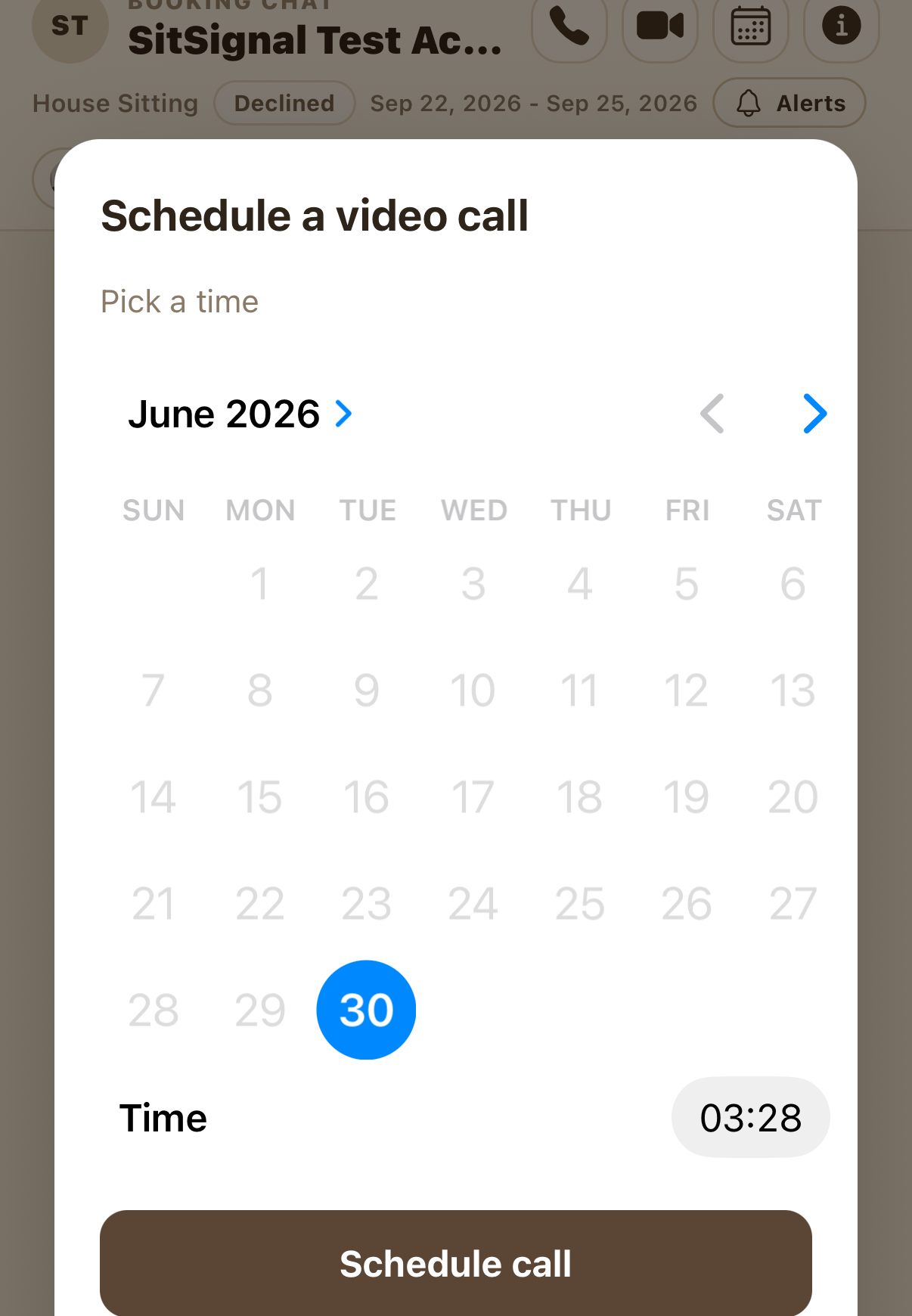
In Schedule a video call, choose the date on the calendar and set the time, then tap Schedule call. That's it — the call is on the books for both of you.
Get reminders, then join the call
SitSignal sends you a few reminders as your call approaches, so it's easy to be ready. When it's time, open the booking chat and tap the video call button in the header to call the other person.
You can call anytime — scheduling is optional
Friendly reminder: voice and video calling are available throughout your booking. You never have to schedule anything to connect — the calendar is just there for when it helps to lock in a time and get reminders.
FAQ
Either the client or the sitter, during an active booking. Both of you get the reminders.
No. You can voice or video call any time during a booking. Scheduling just sets a time in advance and adds reminders.
Yes — SitSignal sends a few reminders as the scheduled time approaches.