 SitSignal
What a meet & greet is
A meet & greet is a brief introduction before the booking starts. The sitter meets the pet and the pet parent, reviews the care instructions in person, sees the home and routine, and lets the pet get comfortable with a new face. It is not a paid visit and it carries no obligation — either side can decide it isn't the right fit.
Think of it as a mutual interview. The pet parent is checking that their pet is in good hands, and the sitter is confirming the home, the animals, and the expectations are all things they can handle with confidence.
When to schedule one
A meet & greet is always a good idea with a new client, and it matters most for higher-trust or higher-needs bookings. Strongly consider one for:
Request a meet & greet in the app
You set up the meet & greet right inside the booking. Open the booking chat and tap the plus (+) icon, then choose Propose meet & greet.


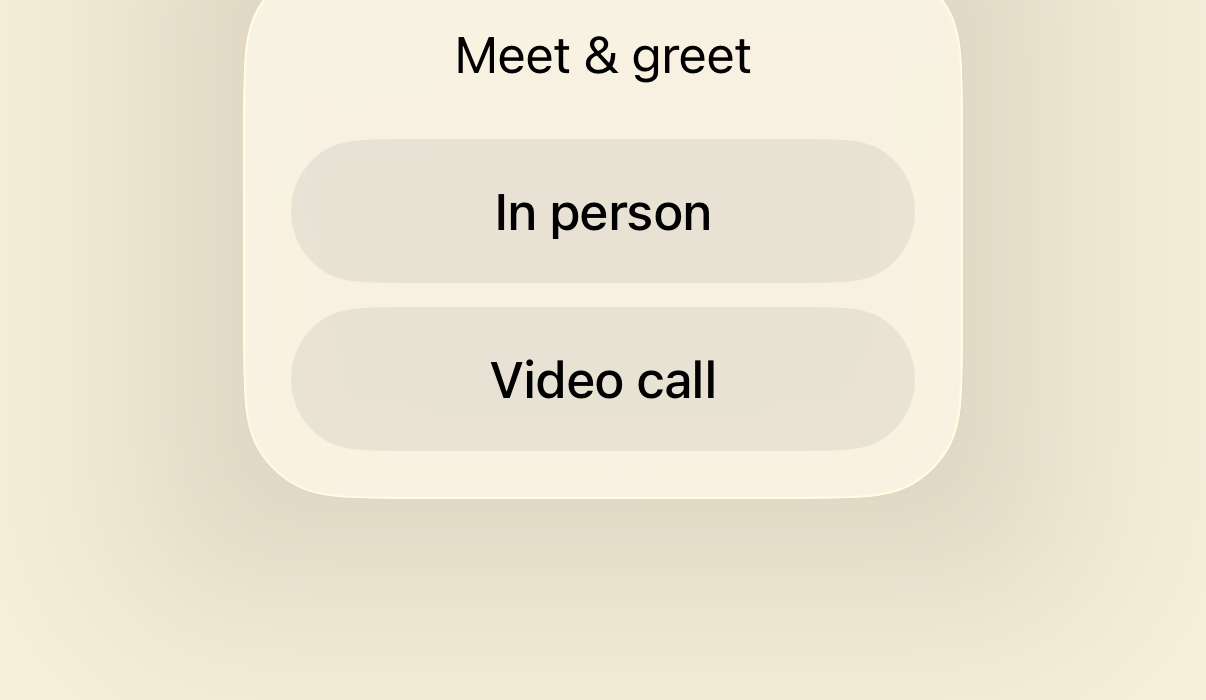
In person or video?
A video meet & greet happens in real time over SitSignal's built-in video chat — handy for sitters or clients with busy schedules, or when distance makes meeting up hard. We always suggest meeting in person when availability and logistics allow. Pick the option you want to propose to the other person.
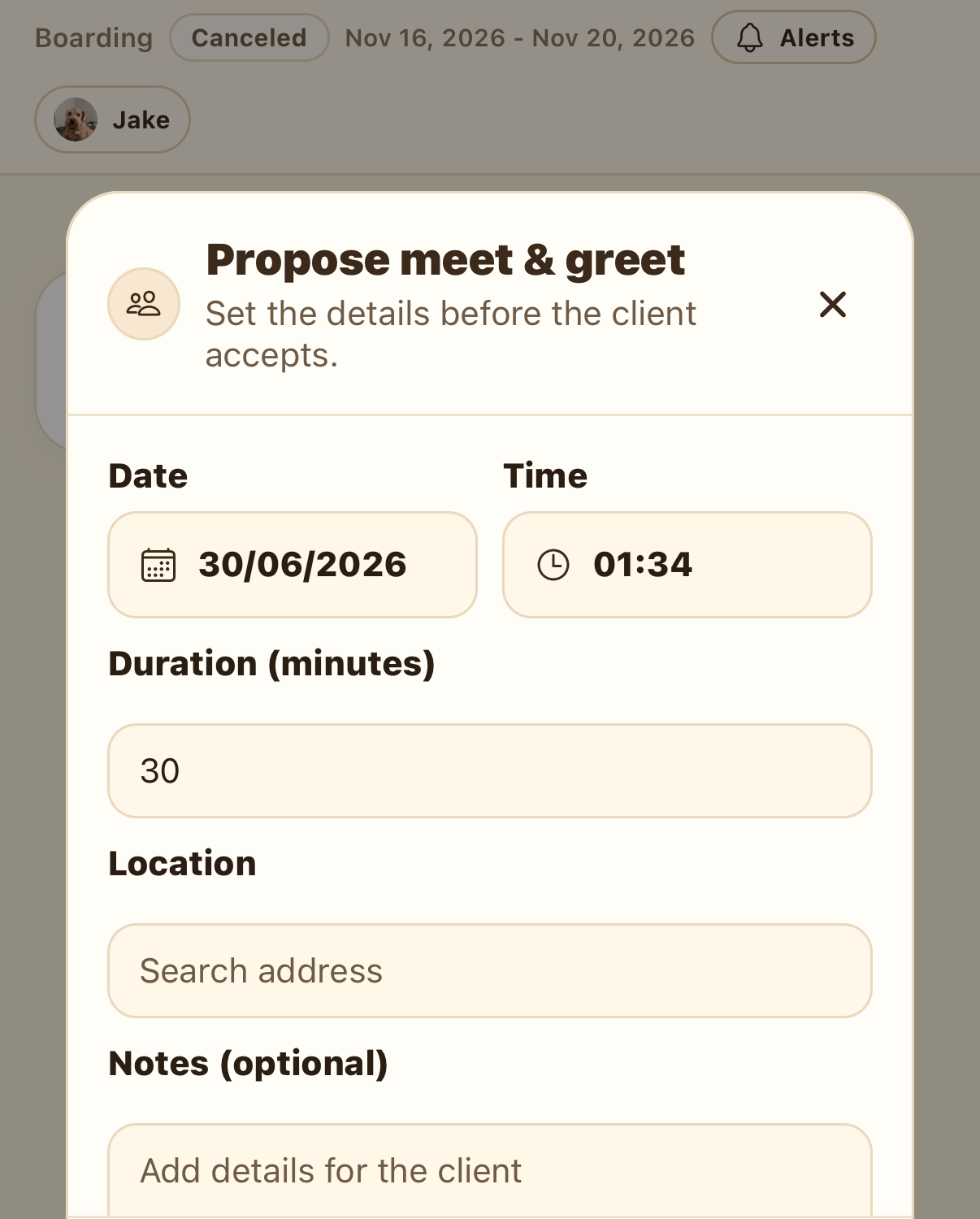
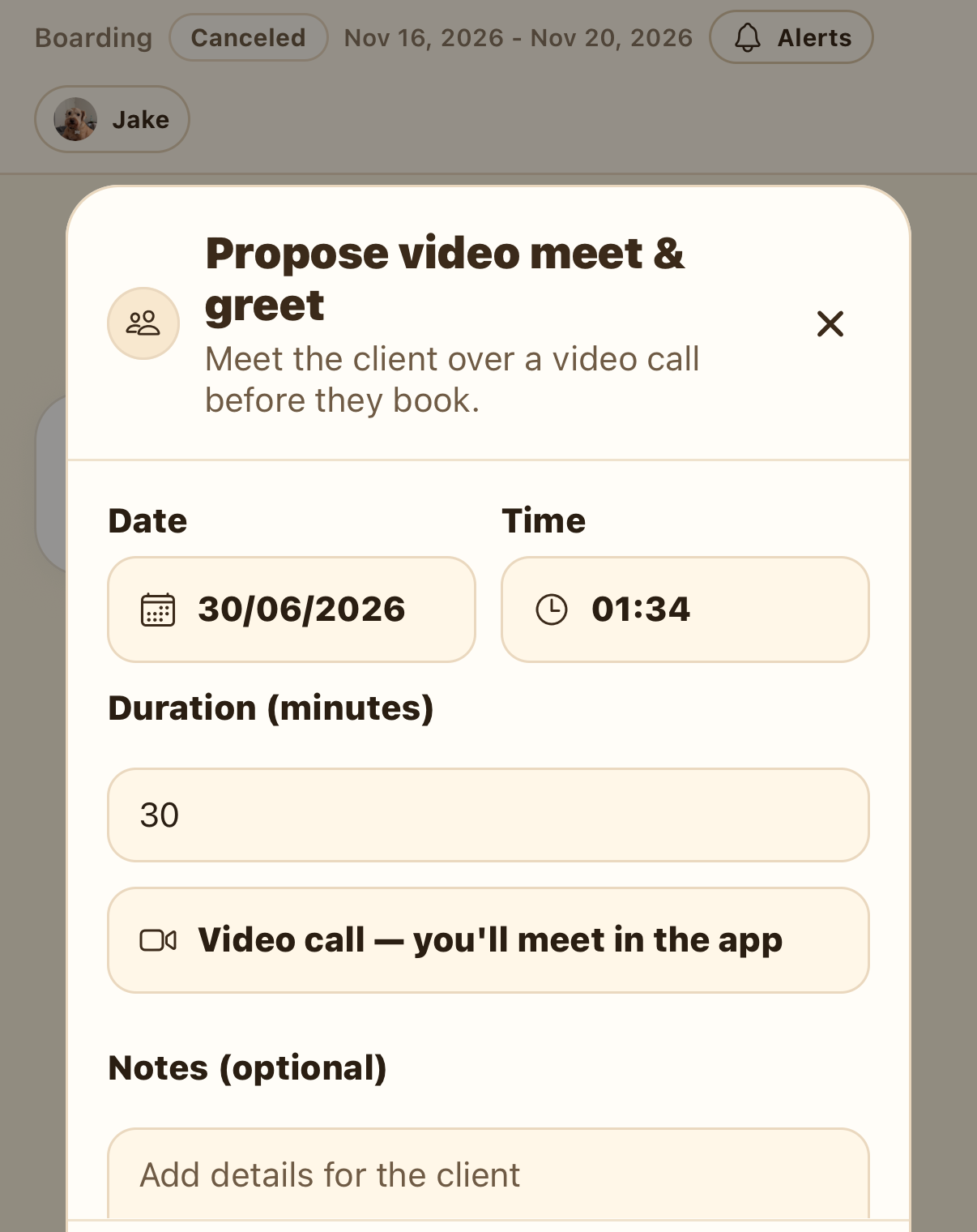
Fill in the details and tap Send proposal. It lands in the chat as a proposed meet & greet that you can still edit.
Accept, decline, or propose a change
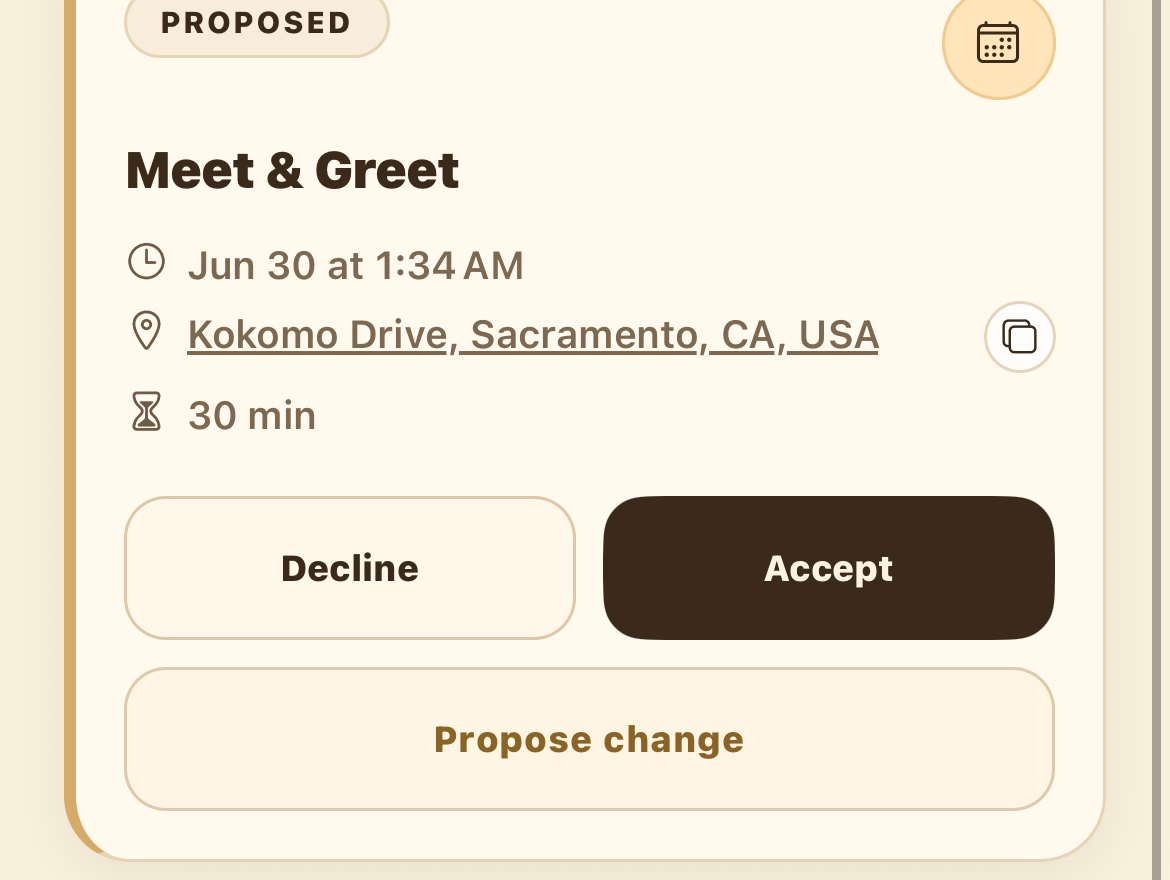
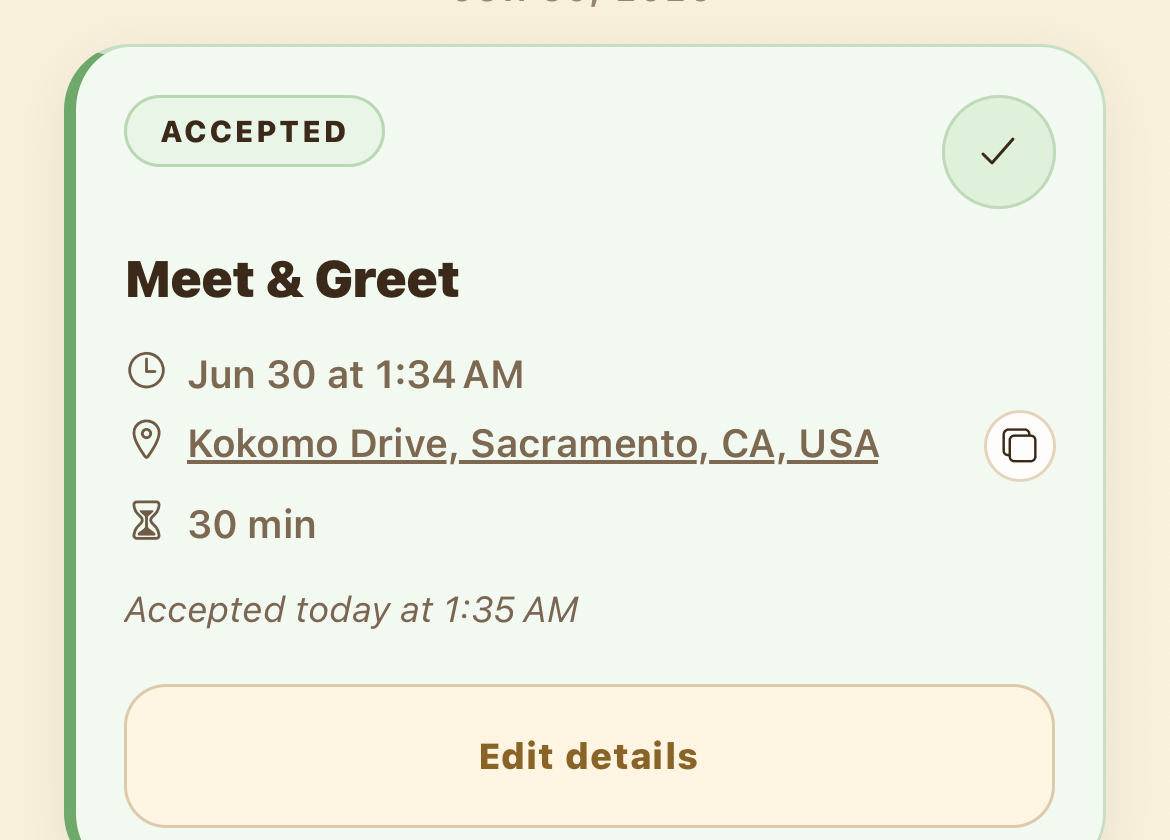
The other person receives the proposal and can Accept, Decline, or Propose change — which reopens the same form to suggest a new time, place, or note. Once someone accepts, the card turns green and the meet & greet is locked in for both of you.

Use the in-app checklist during the visit
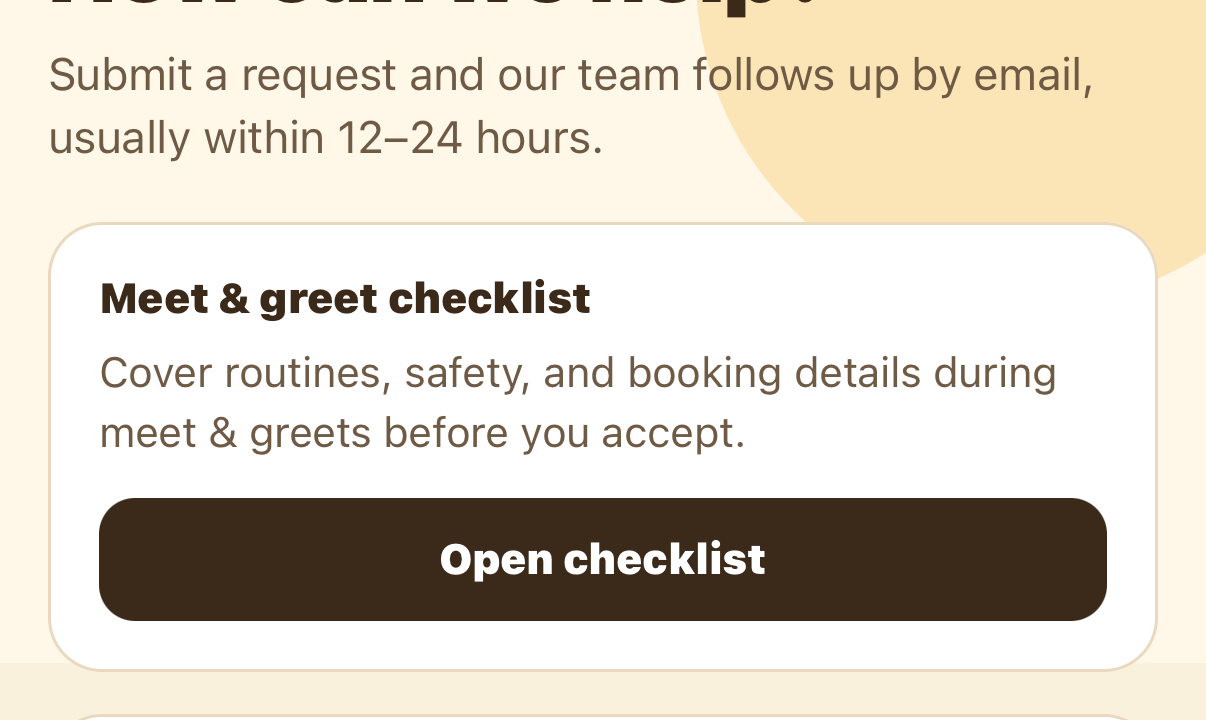
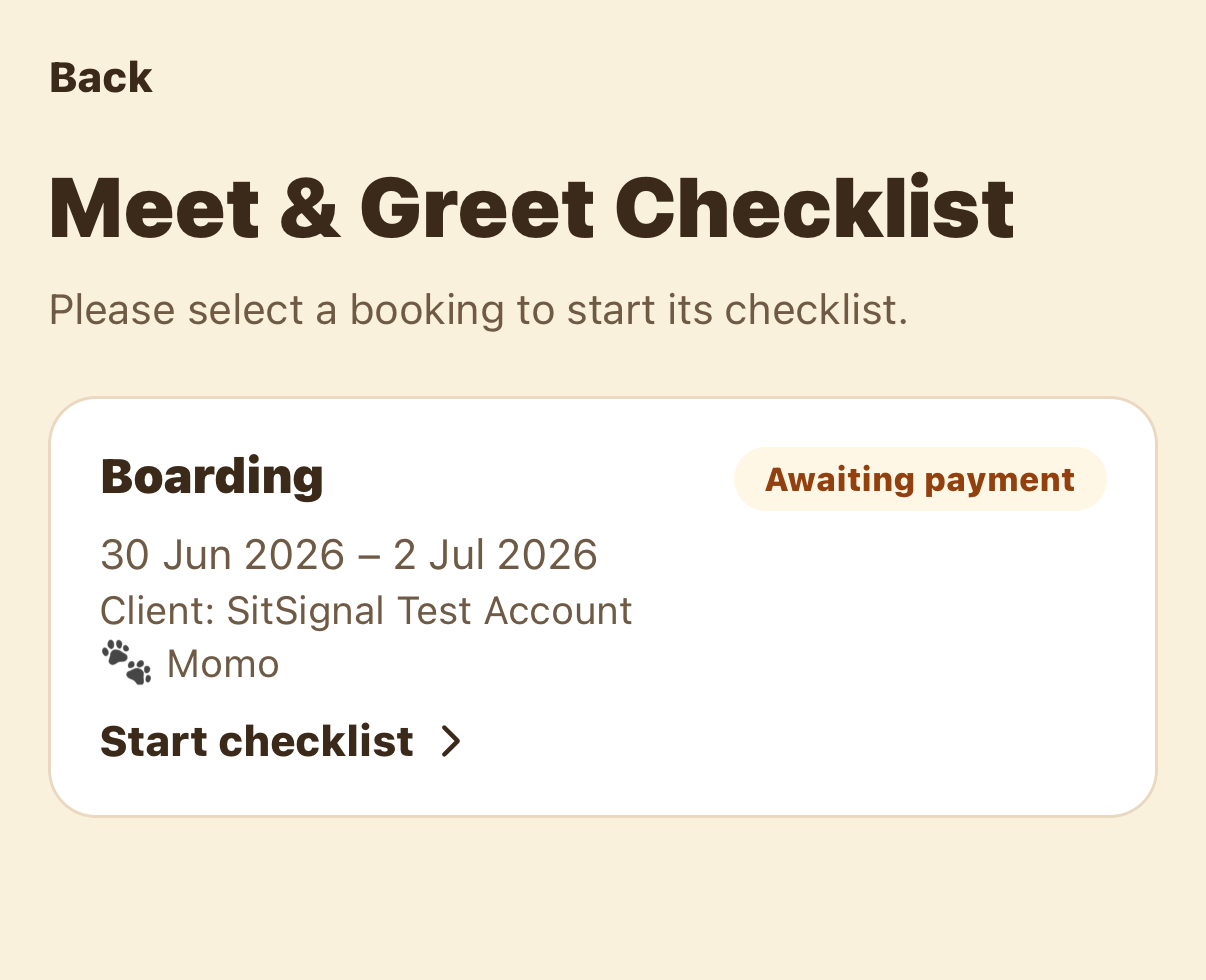
SitSignal has a built-in checklist tailored to each booking. From the Support tab, tap Open checklist, then pick the booking you're meeting for and tap Start checklist.
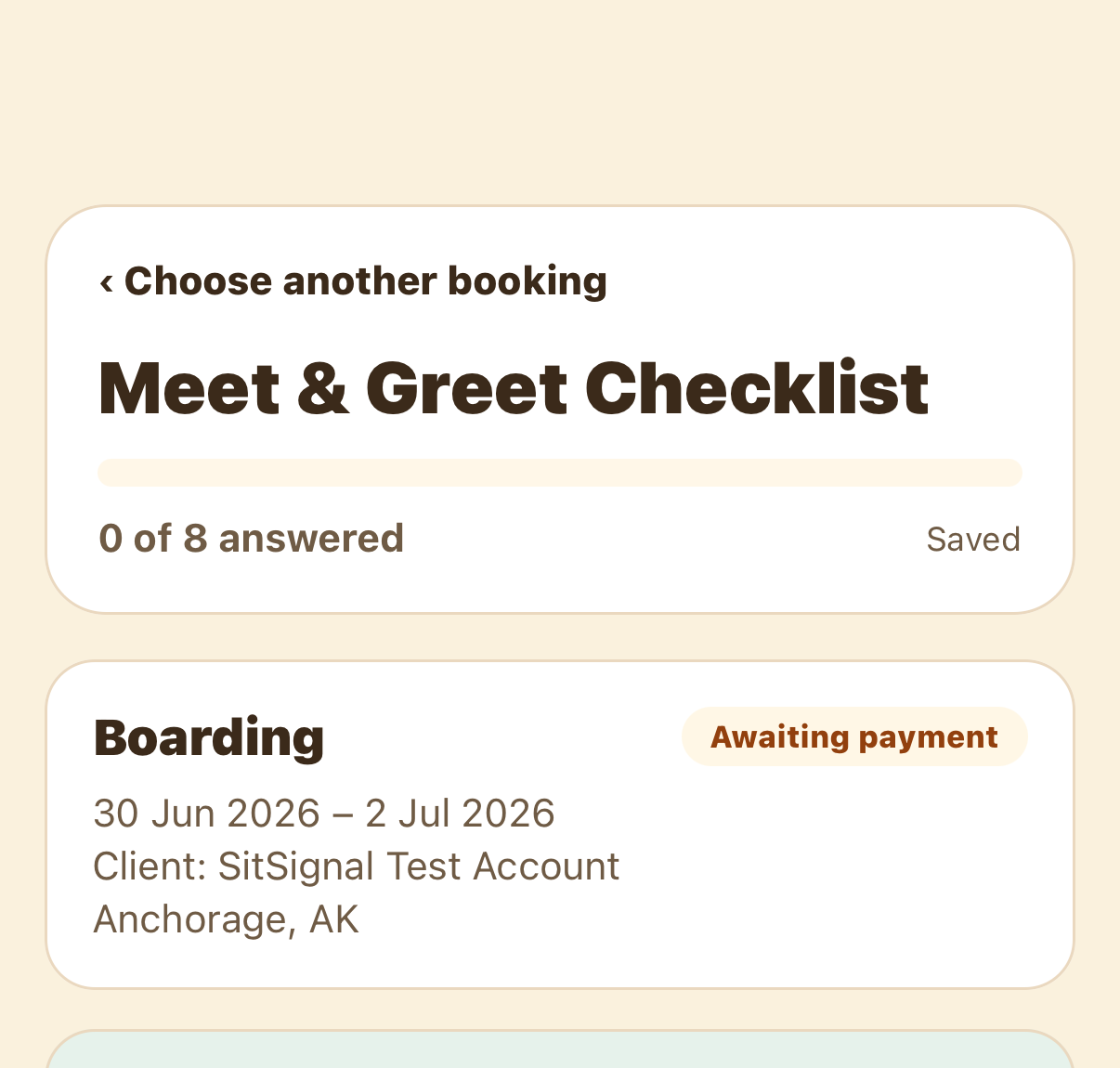
It's fillable and auto-saved — note the Saved label and the “0 of 8 answered” progress. Work through the questions for each pet ( temperament, feeding, potty and walks, medications, allergies, fears, and favorites), plus general notes about the home.
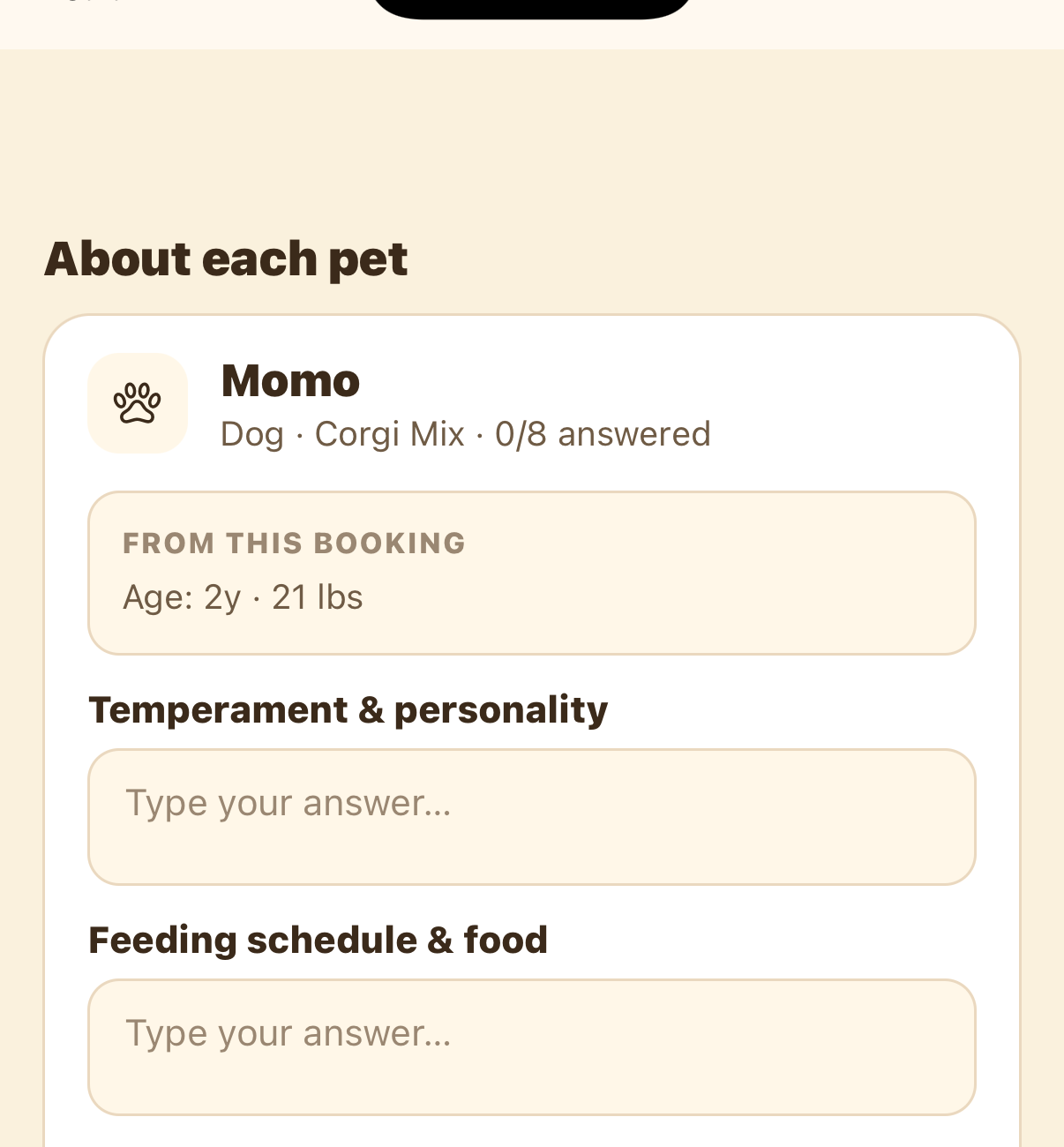
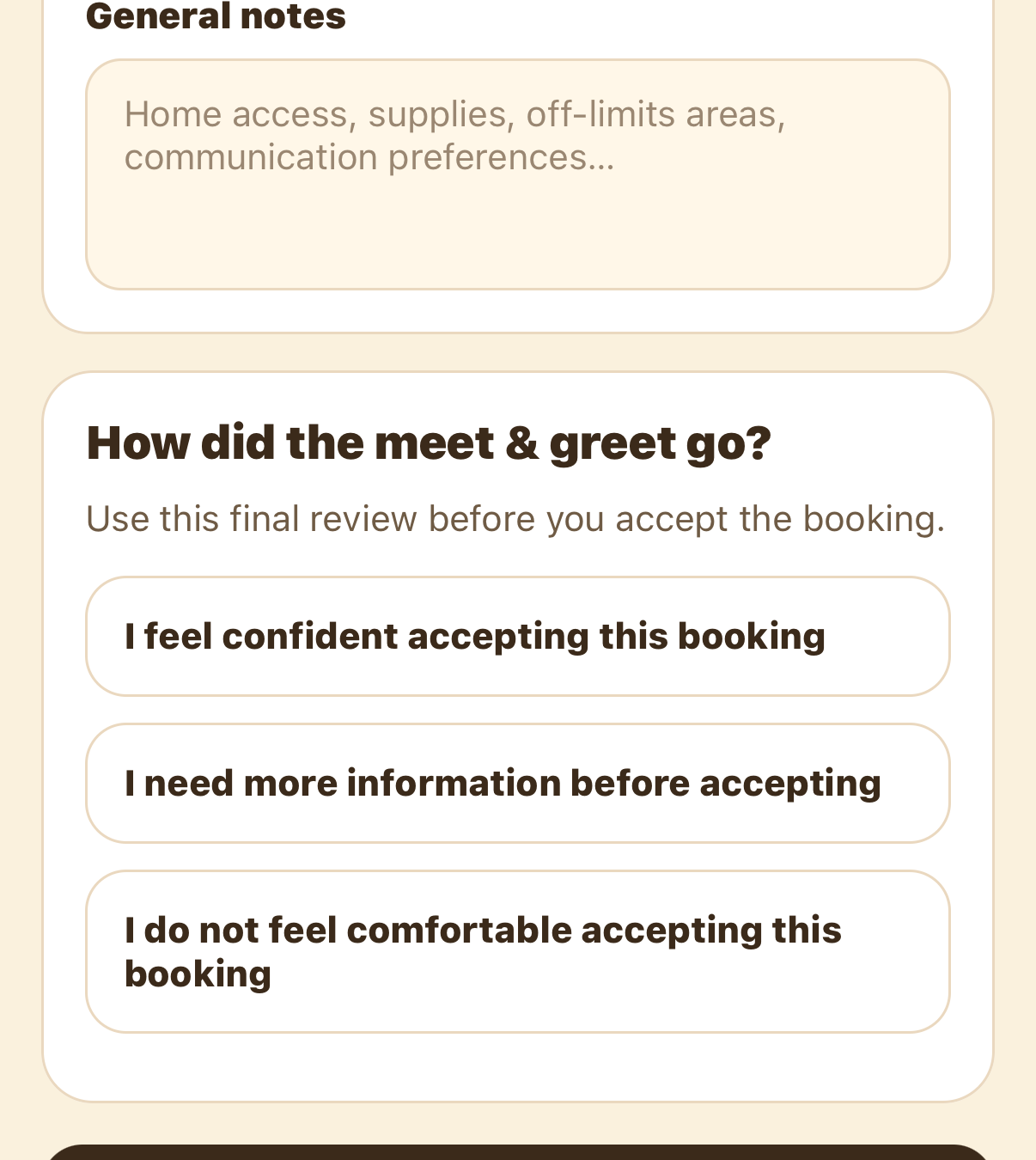
Wrap up with How did the meet & greet go? — confident, need more info, or not comfortable — then tap Save checklist. It captures the same accept-or-decline call from After the visit, right inside the booking.
Before you go: prepare
A few minutes of prep makes the visit feel professional and keeps it short. Before you head out:
For drop-ins or dog walks, a meet & greet at the pet's home is ideal because you also learn the entry routine and where supplies live. If meeting at a home isn't comfortable yet, a quiet public place like a park works for a first introduction.
During the visit: what to cover
Keep it friendly and conversational, but make sure you leave with the essentials. Our live meet & greet checklist walks through every item and lets you tick them off as you go. The essentials fall into a few buckets:
The pet
Confirm each pet's name, breed, age, and size. Ask about temperament, triggers, and fears, and watch how the pet actually responds to you in person.
The routine
Walk through feeding, potty, walks, sleep, treats, and any restrictions. Routines are where most day-to-day care lives, so get them in writing.
Health & safety
Cover medications and how they're given, allergies, the vet's name and number, an emergency contact, and any medical or behavioral concerns.
The home & access
Review entry instructions, where supplies are kept, off-limits areas, where the leash, harness, crate, or carrier lives, and where cleaning supplies are. For overnight stays, ask about house rules and Wi-Fi.
Expectations & updates
Agree on how often the parent wants updates and what photos or videos they'd like, then confirm the dates, service type, number of pets, and any custom instructions. Keep updates and payment inside SitSignal so everything is documented and protected.
Read the pet's body language
A pet tells you how it feels long before it does anything. Let the animal come to you — crouch sideways, avoid looming over its head or staring directly, and offer a hand to sniff. Then watch.
Yellow signals mean slow down. Give the pet space and time, let it set the pace, and don't force contact. Many nervous pets warm up — but only if you let them.
Stay safe and keep it on SitSignal
After the visit
Take notes right away while everything is fresh, confirm any missing details in chat, and review the booking one more time. Then make the call:
FAQ
For most bookings, 15 to 30 minutes is plenty to cover the basics, confirm care instructions, and see how the pet responds in person.
Not always, but it's strongly recommended for boarding, house sitting, new-client drop-ins and walks, and any booking involving medical or behavioral needs.
No. It's a free, no-obligation introduction before the booking begins, so either side can decide it isn't the right fit.
Don't accept the booking. If the situation feels unsafe, unclear, or outside your experience level, it's better to decline than to force a bad match.