 SitSignal
Before you begin
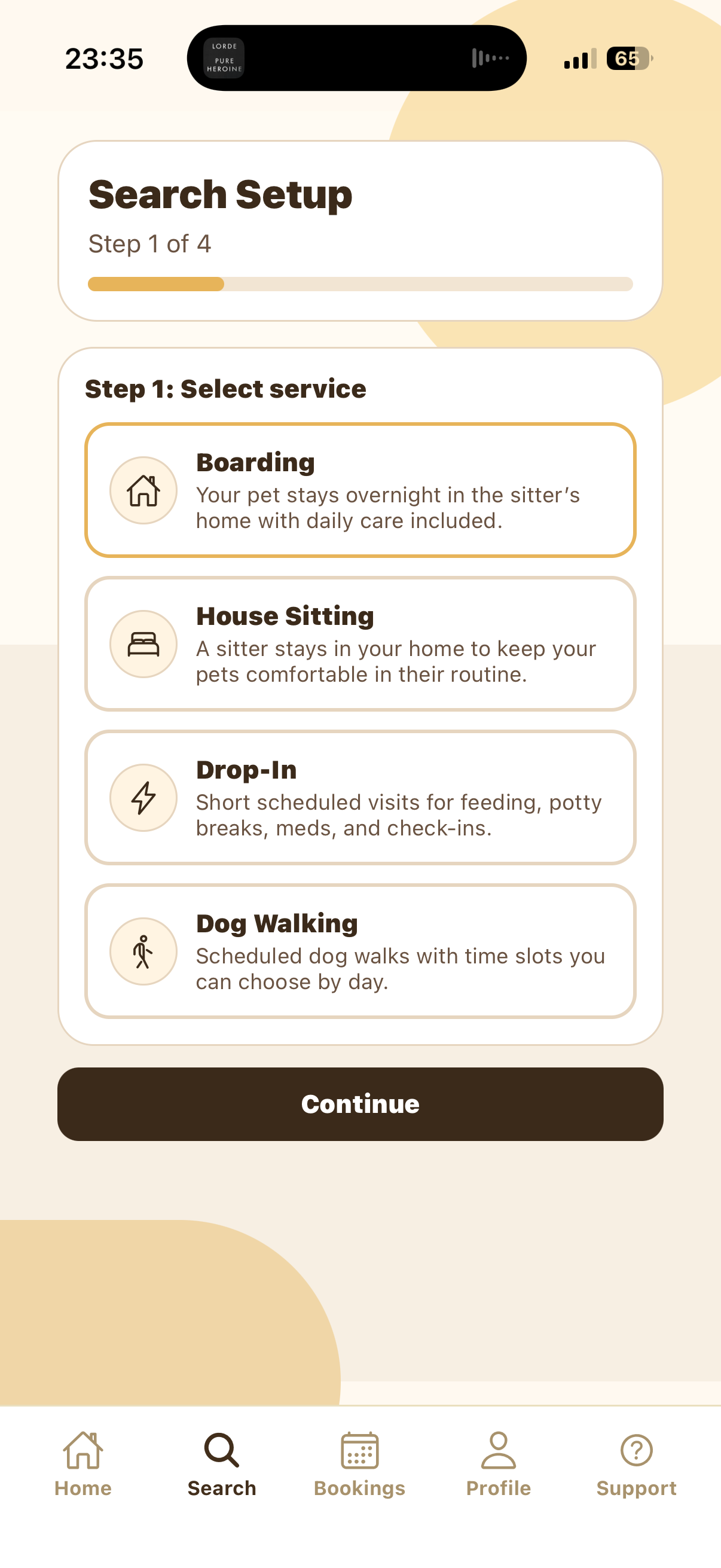
Open the SitSignal app and tap the Search tab. Boarding uses a 4-step setup flow because the sitter hosts your pet overnight in the sitter's home instead of coming to your home.
Select Boarding
In Search Setup, choose Boarding. Boarding is for overnight care where your pet stays in the sitter's home with daily care included.
The selected service is outlined in gold. Once Boarding is selected, tap Continue.
Select your state and city
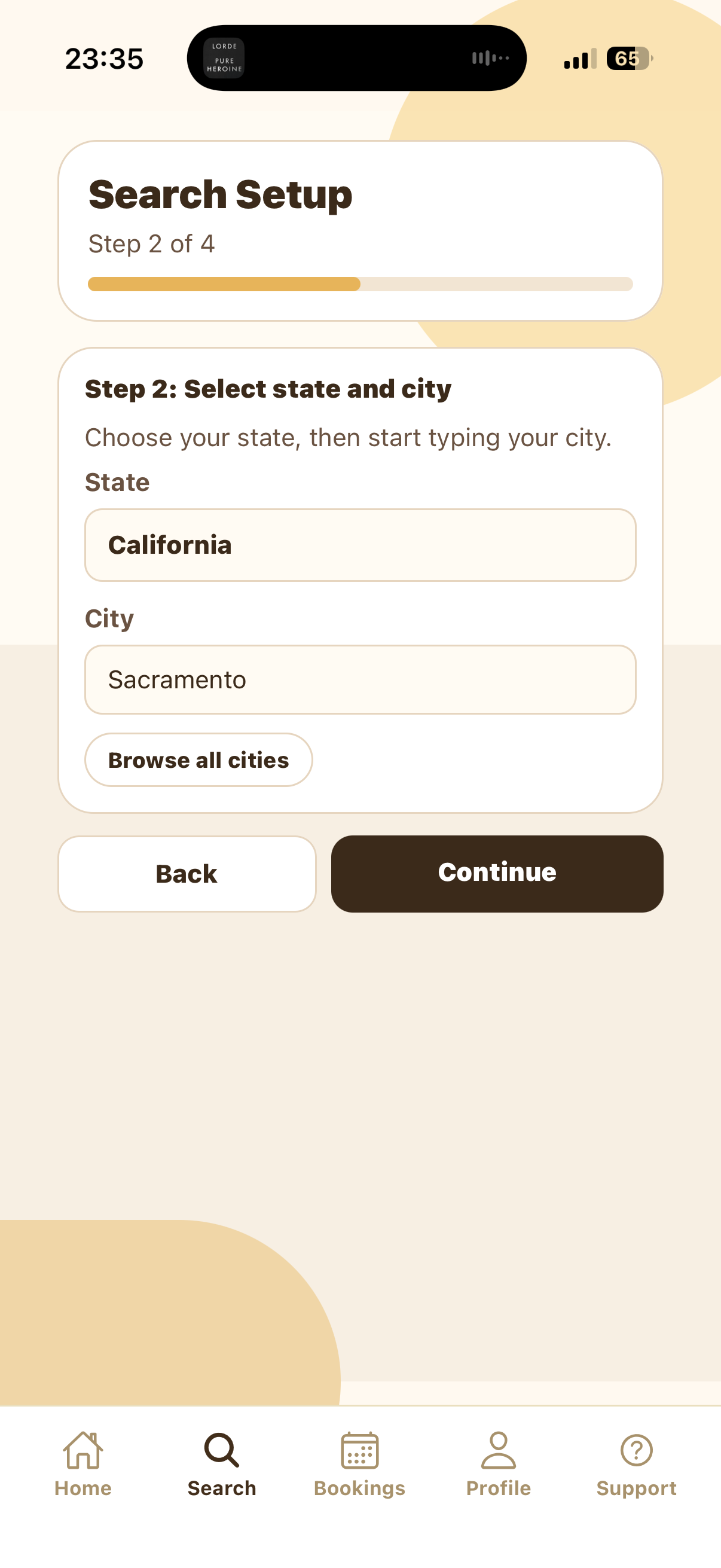
Choose your state, then type your city. In the screenshot, the state is California and the city is Sacramento. If you do not see the city you need, tap Browse all cities.
Your city controls which Boarding sitters appear in the results. If there are no matches, try a nearby city or adjust the selected dates.
Choose dates and times
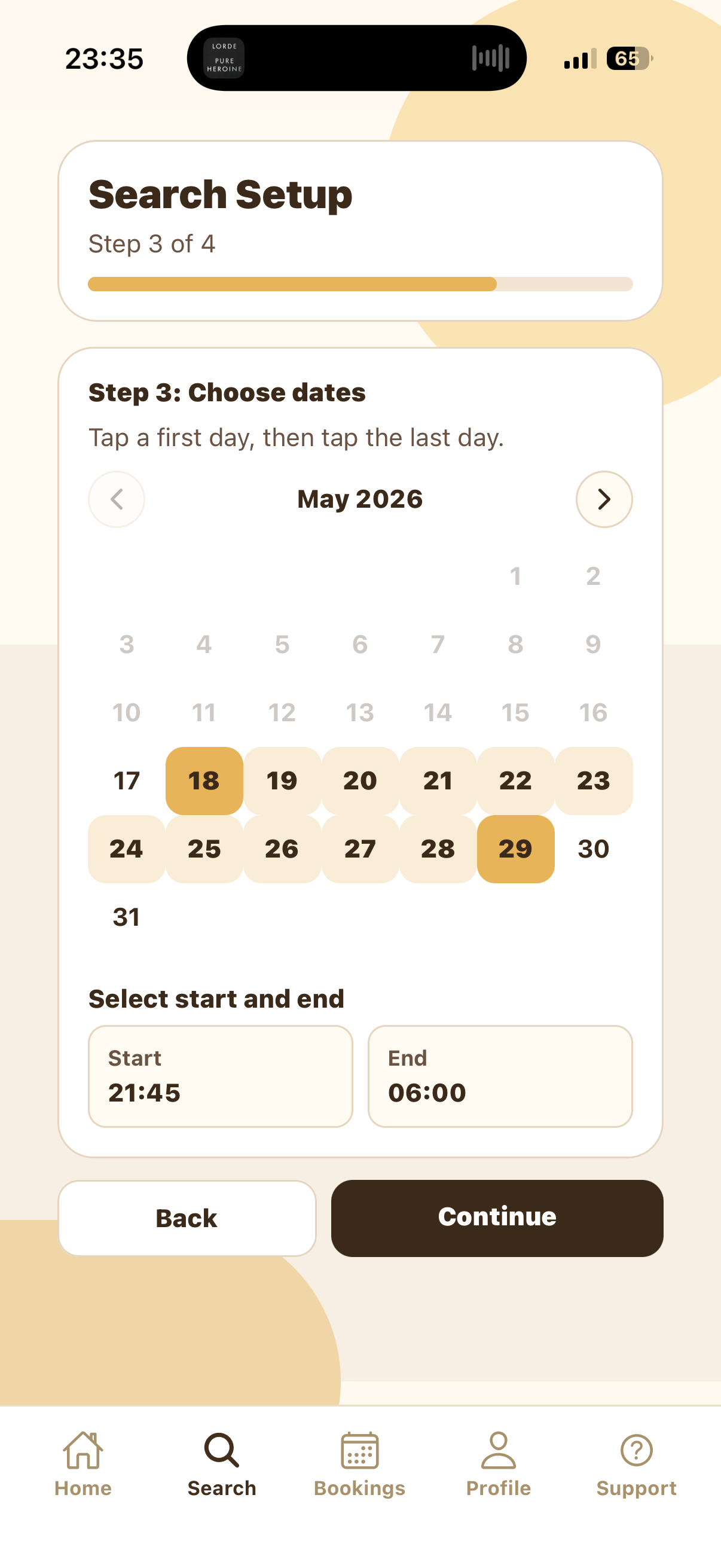
Tap the first day of the stay, then tap the last day. SitSignal highlights the full overnight Boarding range so you can confirm the stay before searching.
Next, choose the Start and End times. For Boarding, these usually represent your expected drop-off and pickup times. The example shows 2026-05-18 through 2026-05-29, with a 21:45 start and 06:00 end.
Review the summary
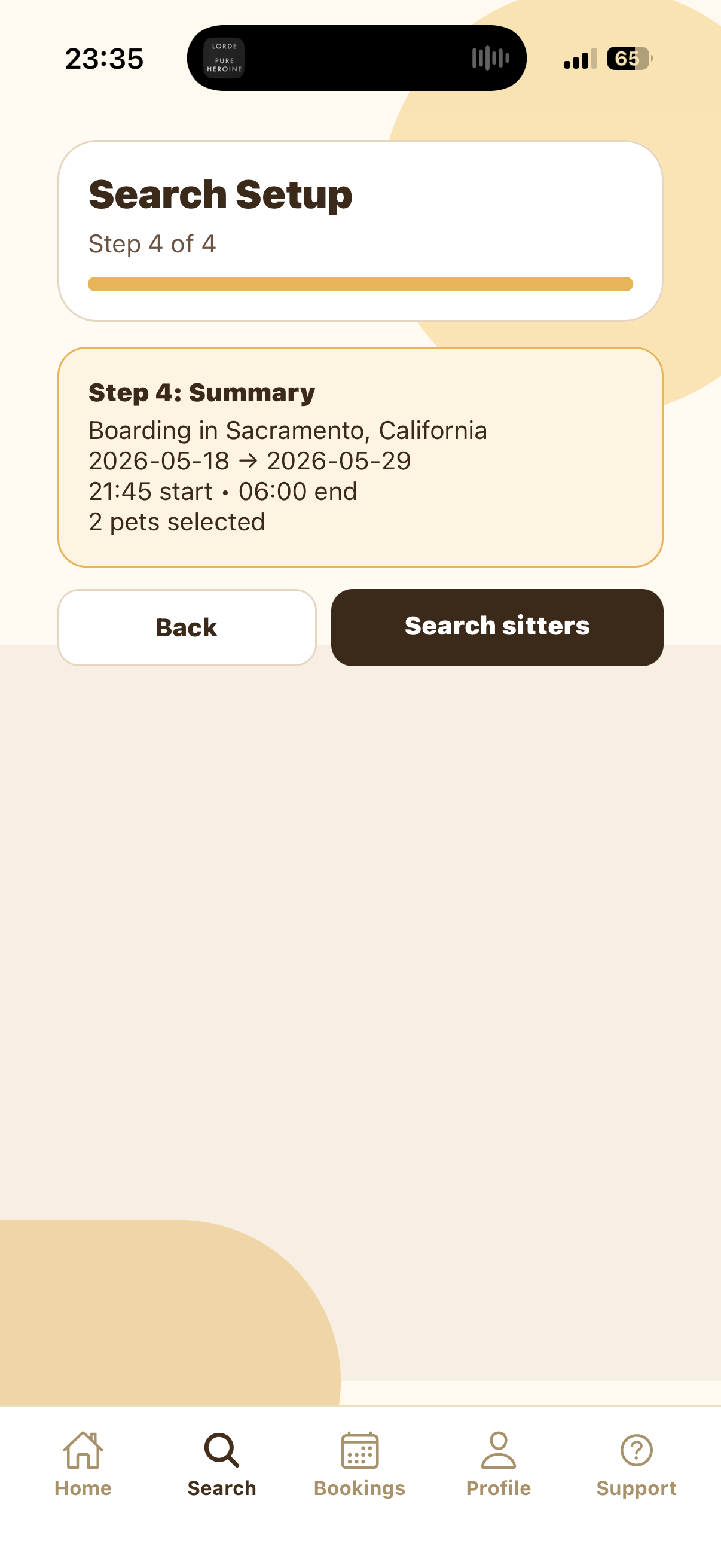
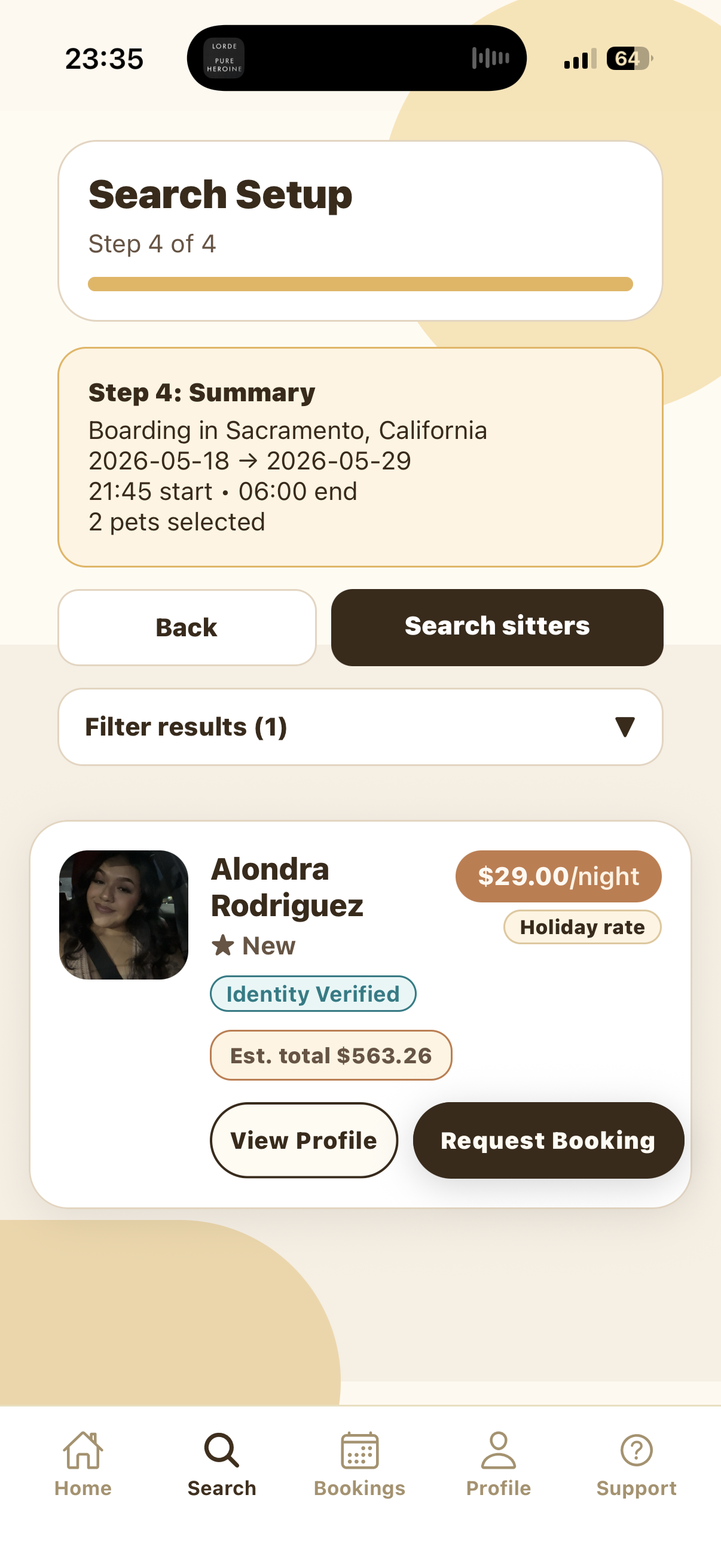
The Summary screen confirms the service, city, date range, start time, end time, and selected pets. Tap Back if anything needs to change.
When the search details look right, tap Search sitters to view available Boarding sitters.
Review sitter results
The results screen shows matching Boarding sitters. Review the sitter's nightly rate, holiday rate label if shown, rating or new-sitter status, trust badges, estimated total, and profile.
Tap View Profile to learn more about the sitter, or tap Request Booking when you are ready to send a request.
Send the booking request
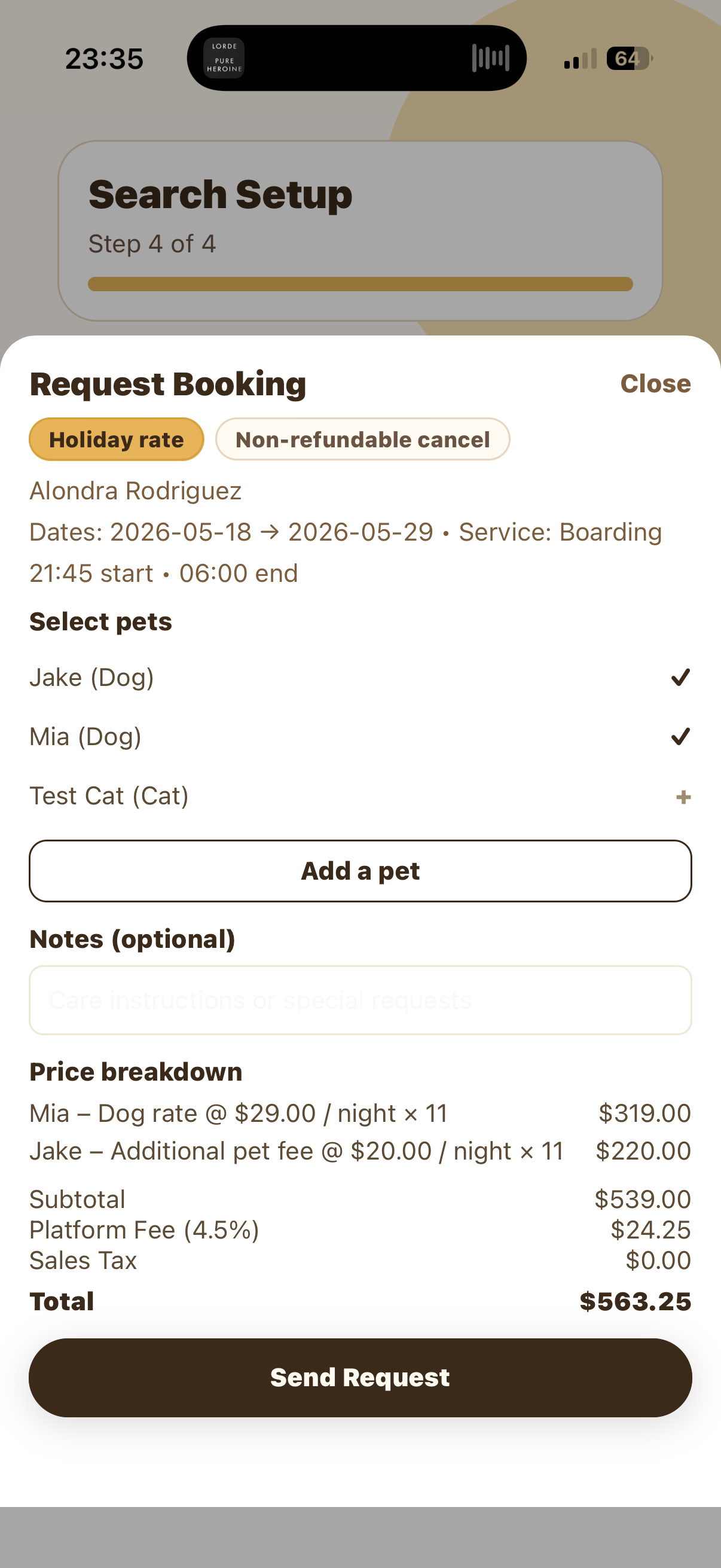
The Request Booking sheet is where you choose which pets are included, add optional care notes, and review the full price breakdown before sending.
Check the sitter's rate, additional pet fees, platform fee, taxes, and total. Tap Send Request only when the pets, dates, notes, and price are correct.
Tips and troubleshooting
Include feeding amounts, medication instructions, crate or sleeping preferences, leash habits, potty routines, behavior around other pets, and anything your pet should not eat or do.
For Boarding, they usually represent drop-off and pickup timing. Use the notes field if you need to clarify arrival, pickup, or handoff details with the sitter.
Some sitters may show holiday pricing for high-demand dates. Review the rate labels and full price breakdown before sending the request.
Try nearby cities, different dates, or adjusted drop-off and pickup times. A sitter may not be available for the exact Boarding stay you selected.